How to help scientists fight CoVID-19 (and other diseases) without doing anything
Folding@Home (F@H, FAH) — a distributed computing project for running computer simulations of protein molecule folding. The project was launched on October 1, 2000 by scientists from Stanford University.
– Wikipedia
In the video below, starting at 8:40 the biologist Alexander Panchin talks about the Folding@Home project:
https://youtu.be/W1VltUD0C44?t=518
This post is a quick guide on how to join the distributed computing effort.
- Go to the Folding@Home project website, to the client download section: foldingathome.org/start-folding
- From there it all depends on your OS. If you have a Mac - I unfortunately can’t tell you anything, but I think everything
is just as simple as in the other OSes. If you have Linux - you don’t need my advice - you install the package from the official repository
of your distro and off you go folding proteins. If it’s Windows - you will be shown a link to download the client
installer, which will look like “
fah-installer_x.y.z_x86.exe” (where x, y, z is the version number). - Download the client. Run the installation.
- The simplest option is to pick Express Install. If you know what you’re doing - you pick “Custom install” and go ahead.
- After the installation, either the installer will launch the client for you if you didn’t uncheck the corresponding checkbox, or we launch the Folding@HOME client manually via the menu or a shortcut.
- The client starts and a control panel opens in your browser at client.foldingathome.org. Don’t be surprised, this is normal. The control panel was loaded from their server, but it connects to the client installed on your PC.
- If everything went according to plan, the client will offer two options: “Fold as Anonymous” or “Set up identity”.
The first is for those who don’t care at all how and how much they contribute.
The second is for those who want to participate in the rankings personally, create a team with friends or join an already existing one. - If you decided to contribute non-anonymously, then we choose “Set up an identity” and press “Start folding”.
- Next you will be asked to enter a username, a team number and a passkey. All of these are optional, but if you chose this option, it’s worth specifying at least the username. If you created a team with friends or want to join someone’s team, you also need to enter its number. If you set a passkey - you can be sure that only your points for the completed work will be credited to you. F@H also promises bonus points to those who secured themselves with a passkey for completing tasks ahead of schedule. Before choosing a username it’s worth visiting the statistics portal and checking that it isn’t taken by anyone: stats.foldingathome.org/donors
- In general, some time after you have entered these settings your computer will start executing the distributed computing tasks.
- You can also change the settings to choose the load level on your PC and the computing mode.
Try different options and pick the one that suits you best - it doesn’t interfere with work and doesn’t cause the computer to overheat. Powerful computers can run in Full mode and you will barely notice that Folding@HOME is doing the calculations. On such configurations the calculations may only get in the way of heavy tasks like video editing, design systems, software builds or running games.- Power is the average level of load on your PC. Three load levels can be chosen:
- Light (light)
- Medium (medium)
- Full (full, maximum).
- When - when the calculations will be performed.
- While I’m working - the calculations always run, including while you are working at the computer.
- Only when idle - the client will try to run the calculations only when the computer isn’t loaded with anything else.
- Power is the average level of load on your PC. Three load levels can be chosen:
- Above you can choose which projects you want to help with the calculations. In the dropdown labeled
“I support research fighting” there may be different projects depending on the client version.
At the time of writing the following options were available there:
- Any disease - research into any diseases
- COVID-19 - the coronavirus everyone knows about
- Alzheimer’s - Alzheimer’s disease
- Cancer - research into cancer diseases
- Huntington’s - Huntington’s disease (remember “Thirteen” from House M.D.)
- Parkinson’s - Parkinson’s disease (remember Michael J. Fox)
- High Priority - picking the priority tasks.
- After choosing the settings you can close the control panel in the browser - the client will keep working in the background.
An example of what the control panel looks like once all the settings are done:
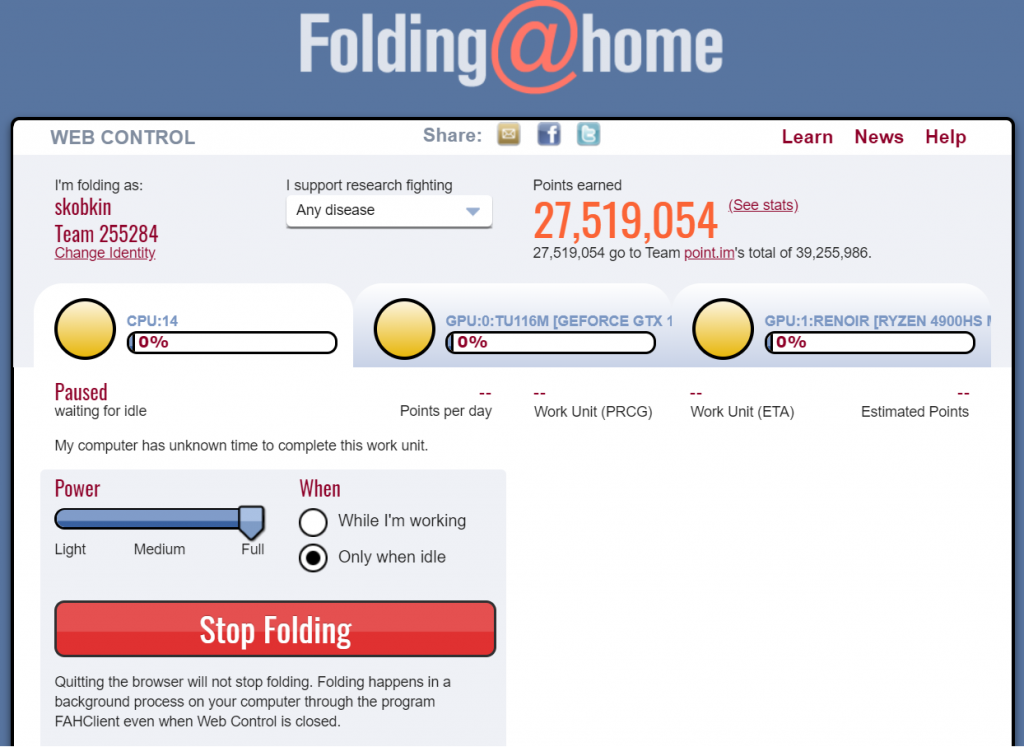
An important note: the client may need some time to find a task for the calculations. Also, the client won’t necessarily always keep your PC loaded - it depends on the availability of free tasks (and the computing capacity of the network).
Once your PC receives one or more tasks - the panel will start displaying their execution status:
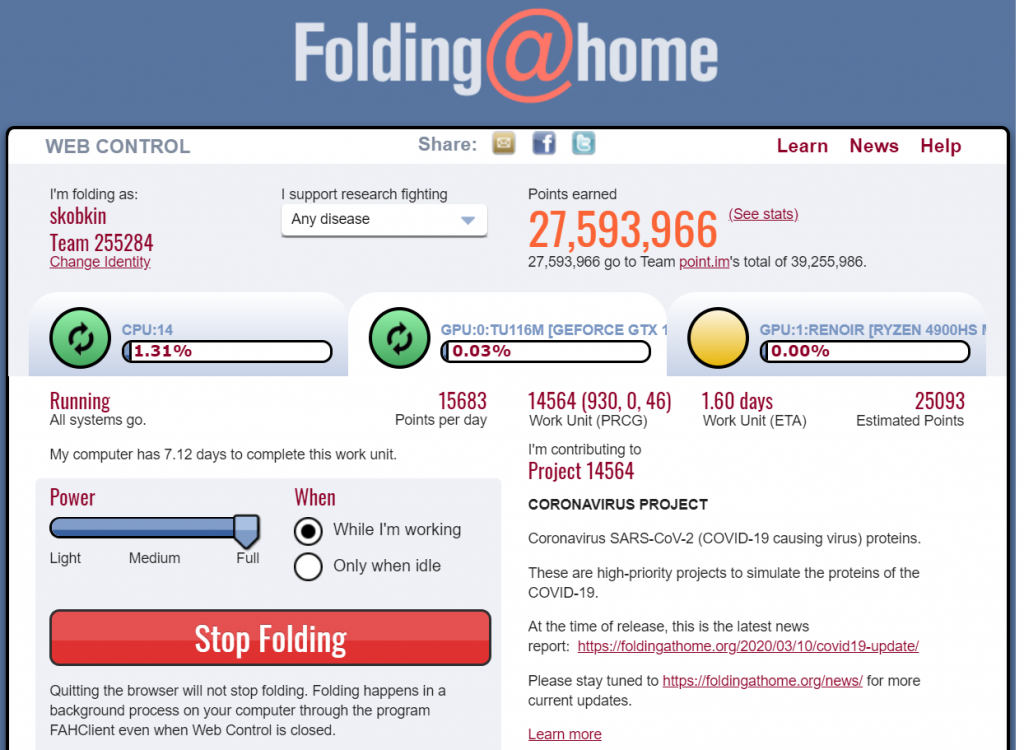
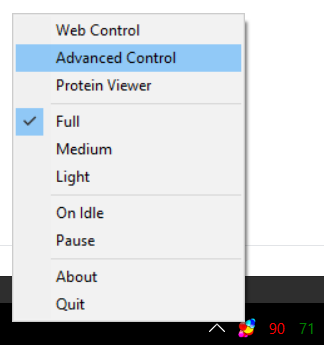
You can always open the web control panel at the same address client.foldingathome.org or use the advanced control panel if you pick the “Advanced control” item from the menu of the Folding@Home icon in the tray:
You can also create a team with friends and keep track together of what contribution you have made to the research. Or you can join an already existing team and help it climb up the rankings.
Happy folding!