My set of PhpStorm plugins
Warning
This is a 2017 list of plugins. It remains only partially relevant: since then, some of the plugins may have been built into PhpStorm, renamed, abandoned or replaced by modern IDE capabilities.
Today is quite an interesting day.
- Release of PHP 7.2.0
- Release of Symfony 3.4 and 4.0
- Release of PhpStorm 2017.3
In a pathetic attempt to make it a little more interesting, I will publish here the list of plugins that I use when working in PhpStorm.
A brief preface
This list of plugins is neither complete nor mandatory to install. It is just a “snapshot” of part of my current plugin list that I decided to write about. I may have accidentally written here about a plugin that ships “out of the box”, or treated a third-party plugin as one of those and left it out. Before installing each plugin, it is worth reading about it and judging whether you personally need it. I can also recommend searching the plugin repositories for keywords related to your work
- it can make your work noticeably more comfortable in small ways. Then again, if you have bought PhpStorm, this probably needs no explanation.
The gist
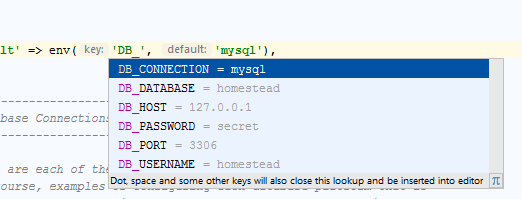
- .env files support PHP projects have caught up with the idea of unifying application environment configuration through environment variables. In Symfony 3.3 itself (4.0 and Flex), the Dotenv component can already be used for configuration.
- .ignore Lately I almost never use the .gitignore file generation functionality, but it still helps me with path autocompletion
- BashSupport Writing shell scripts is often useful for automation. This plugin can make that task more comfortable too.
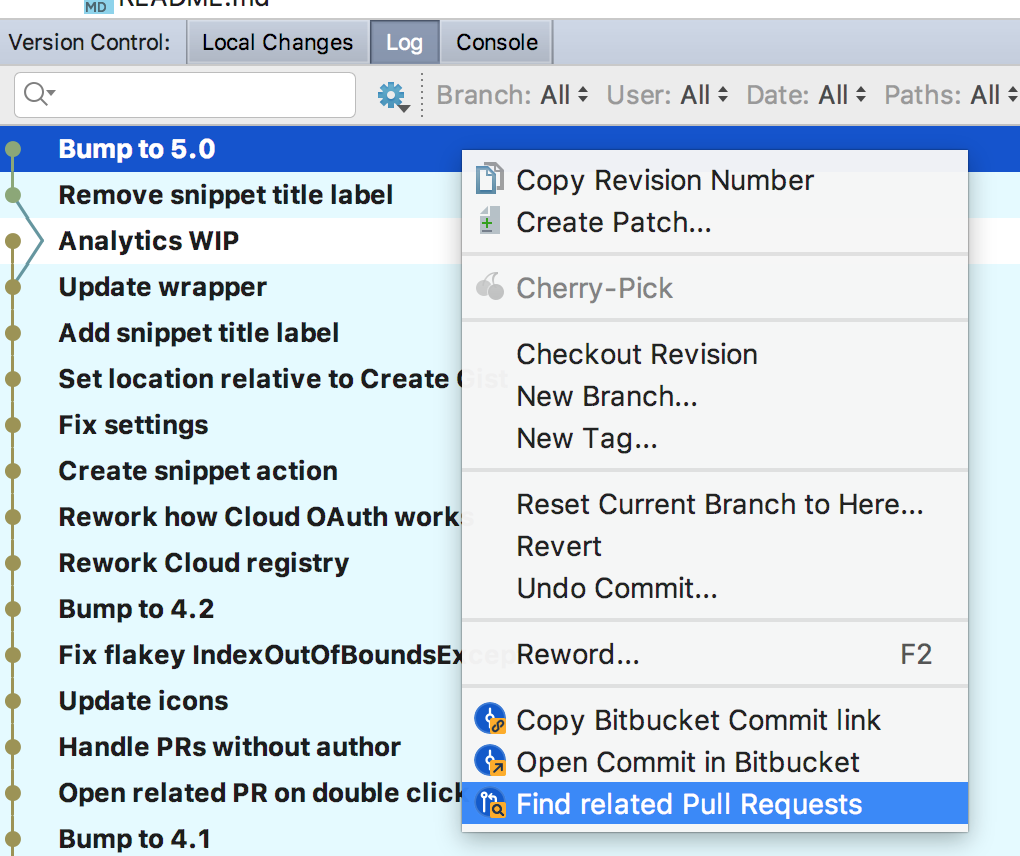
- Bitbucket Linky When developing with Bitbucket as your code hosting, it lets you quickly get a link to a directory, file, commit or line right from the context menu or a hotkey. It also lets you create a Pull Request right from the changes tab in the Version Control panel - a feature I use very often.
- Bootstrap 3 An extensive set of live templates for Bootstrap 3/4
- Command Line Tool Support Integration of CLI tools into the IDE. Over time I stopped using it, having switched to drop-down consoles like Guake (Yakuake, Tilda, etc) and GNU Screen, but it may be useful to someone.
- DynamicReturnTypePlugin A plugin that improves the analysis and display of the return types of functions and methods by various means (additional code analysis, JSON schemas).
- EditorConfig Like .env files support, this is another unification initiative, only in this case for the configuration of a text editor or IDE

- EmmetEverywhere A plugin that can be useful to those who have to create a lot of similar (and not so similar) markup. It gives you the ability to use Emmet (the evolution of Zen Coding, an intuitive CSS-like syntax and HTML code generator).
- Go language (golang.org) support plugin Adds basic Go support to PhpStorm. Unfortunately, the plugin used to be more capable, but now that JetBrains have released a separate IDE for Go (GoLand), you will either have to switch to it or settle for what there is.
- JavaScript Intention Power Pack Adds a bunch of different intentions to the JavaScript editor. Personally I rarely use it, since I mostly work on the backend.
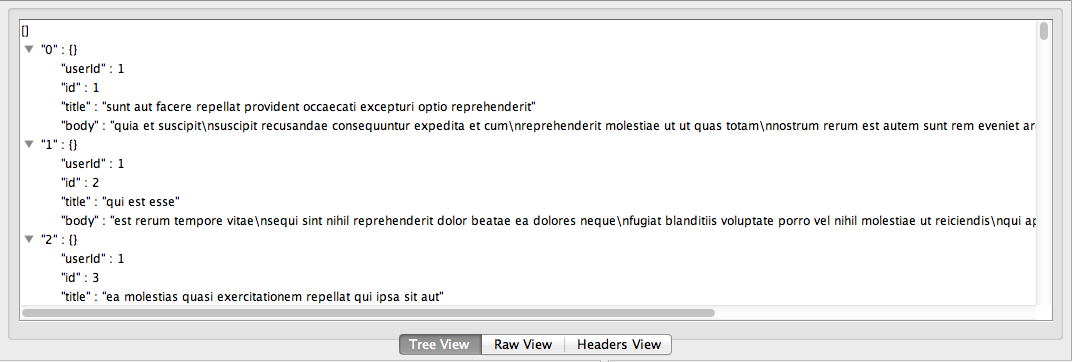
- JSONOnlineViewer Can be useful, for example, when debugging APIs.
- Markdown support Useful when writing README.md and the like.
- Mongo Plugin Integrates a simple MongoDB interface into the IDE, similar to “Database Tools and SQL”.
- Options completion plugin Parses the phpDoc description of associative arrays and uses that data for autocompletion.
- PHP 1Up! A pack of inspections, shortcuts and other goodies.
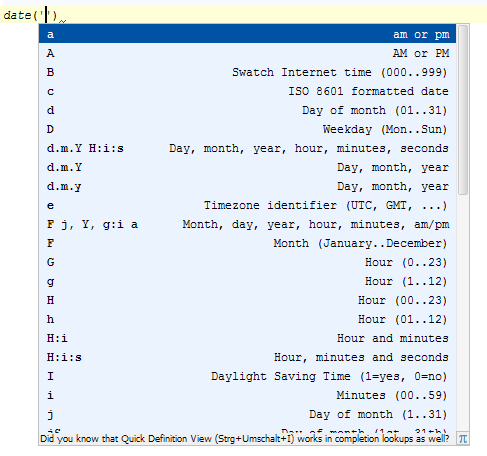
- PHP Advanced AutoComplete Autocompletion of the parameters of functions built into PHP.
- PHP Annotations Makes working with annotations more convenient, imports missing classes automatically, handles aliases, etc. Especially useful when working with Symfony and Doctrine ORM.
- PHP composer.json support Validation, inspections, autocompletion and useful hints (add roave/security-advisories) when working with composer.json.
- PHP inheritDoc helper Collapses inheritDoc, showing the data from the parent description on top of it, and gives hints on when it is worth adding one.
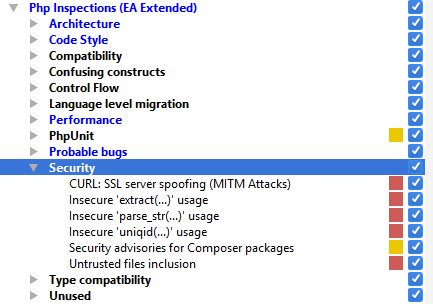
- Php Inspections (EA Extended) A static analyzer. Adds a large number of useful inspections that help you improve, simplify and make your code more predictable and secure. Also, in November of this year a paid version extending the functionality appeared, focusing on performance, code maintainability and security, probably born out of the author’s reflections like these. At the very least, the free (EA Extended) version of the plugin can safely be put on the “must have” list.
- PHP RegExp Support
- PHP Toolbox More goodies for autocompletion and type analysis. They allow using your own configuration.
- PHPUnit Autocomplete Assistant
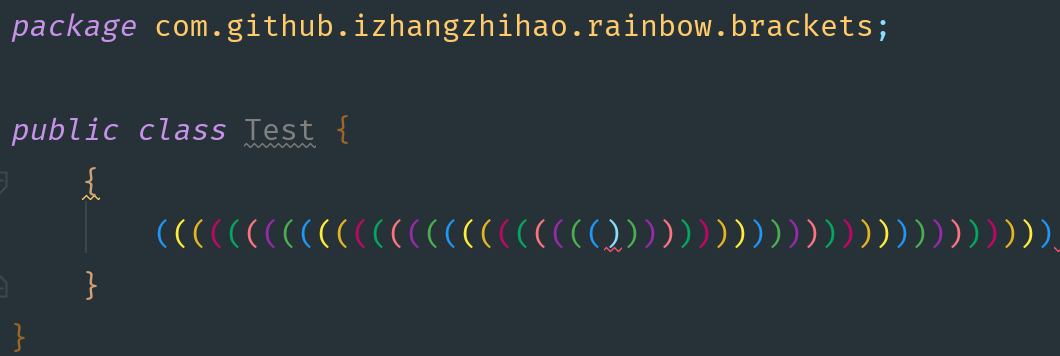
- Rainbow Brackets I only started using this plugin quite recently. It lets you color all the brackets in different colors pairwise. This makes it possible to quickly assess visually the logical separation in blocks or complex conditions, where previously it might have been necessary to place the cursor on a specific bracket so that the IDE highlighted its pair. Unfortunately, the plugin does not go deep into code analysis and simply paints the brackets pairwise, so as a side effect you can observe lines of code following one another where the only brackets are painted in different colors.
- REST Client This is a plugin built into PhpStorm. However, if you have never used it before - it is worth a try. It can considerably simplify API debugging and other similar tasks.
- SensioLabsInsight Integration of the code quality analysis service from SensioLabs (the Symfony developers) into PhpStorm.

- Symfony Plugin A plugin improving the support of the Symfony framework versions 2.* and above in PhpStorm. By analyzing the Symfony cache it adds various autocompletion-related functionality (DI container configurations, DQL queries, template and asset paths, Twig extensions, etc.) and code navigation. When developing on Symfony - a “must have”. It is also worth using the native Framework MVC Structure Suppor along with it. Some time ago it also absorbed the functionality of another plugin, previously known as Symfony2 - Clickable Views
- Task Management Like the REST Client, it is built into PhpStorm. It allows integrating with task trackers (Redmine, Jira and others), task-related autocompletion, and managing development contexts (if you haven’t tried it - give it a try!), automatically creating and switching branches according to tasks, generating commit messages, time tracking (with the help of an additional Time Tracking plugin) and more.
These are, of course, not all the plugins I have enabled at the moment, but the ones I wanted to write about and recommend trying. If you have any corrections or additions, or you want to write about a plugin that personally helps you a lot to increase productivity or save your nerves - the post comments are right there for you. Productive and comfortable work to you!