4talk - yet another XMPP messenger
Note
The project has shut down, the article is kept for historical purposes.
Not so long ago, SUDDENLY, I was given the chance to take part in testing a new messenger from former QIP developers. Here is my review of 4talk.
What? Where? When?
Before that happened, the information I had heard about the project was so fragmentary that it left me with a completely wrong idea. It is hard to say now whether that was good or bad. My first thought was that RIR had decided to remake QIP from scratch under a new brand, to avoid conflicting with RBC. I was pleased. But after a while, a small piece of insider information — the lack of support for Juick.com, which I use actively — made me wary. However, I knew nothing else, and the project was kept in fairly good secrecy — it was next to impossible to even find screenshots of the chat window on the open web. After some time, I was invited to take part in the testing. I immediately asked several clarifying questions, and my doubts only grew stronger. The new messenger was completely isolated from the other networks and was not at all the new multi-protocol client I had assumed it to be. At this point I seriously wondered whether I needed this testing at all, considering that it was closed and I was not particularly eager to chat only with a handful of testers. However, two factors tipped the scales: my good attitude toward the ex-QIP team, and the lucky coincidence that three of my friends happened to be among the testers. I agreed.
Let the fight begin!
The first thing I did was install 4talk on my old HTC Wildfire S. It should be noted that at that time it was not only already a rather old and weak model, but had also been additionally slowed down by moving a bunch of software to the flash card by creating symlinks, as a result of which it lagged mercilessly. I expected anything from the client except normal operation — modern mobile software is mostly very heavy and performs terribly on old devices. 4talk, however, refused to lag and worked fine. I could not test on the old device for long, because the degraded battery made it impossible, and a new Lenovo P770 was already on its way to me from China.
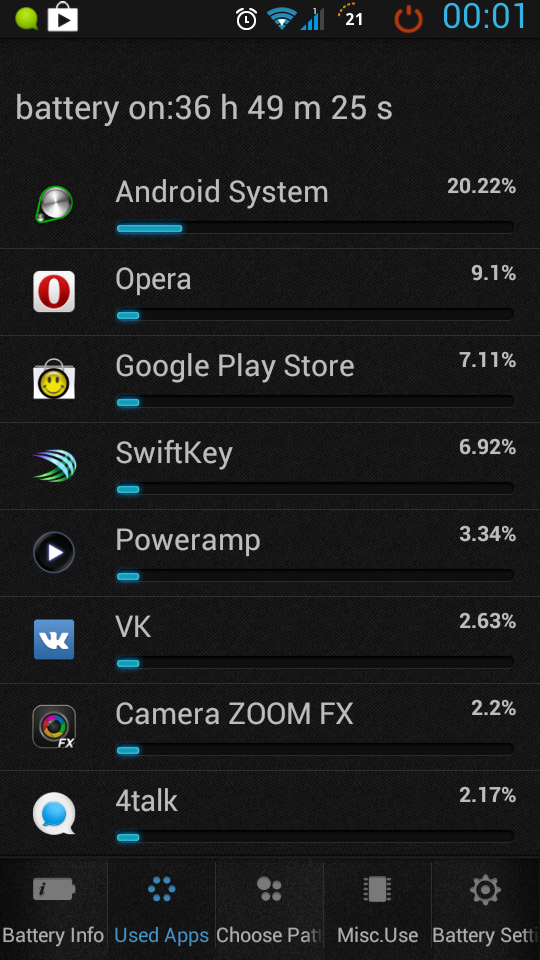
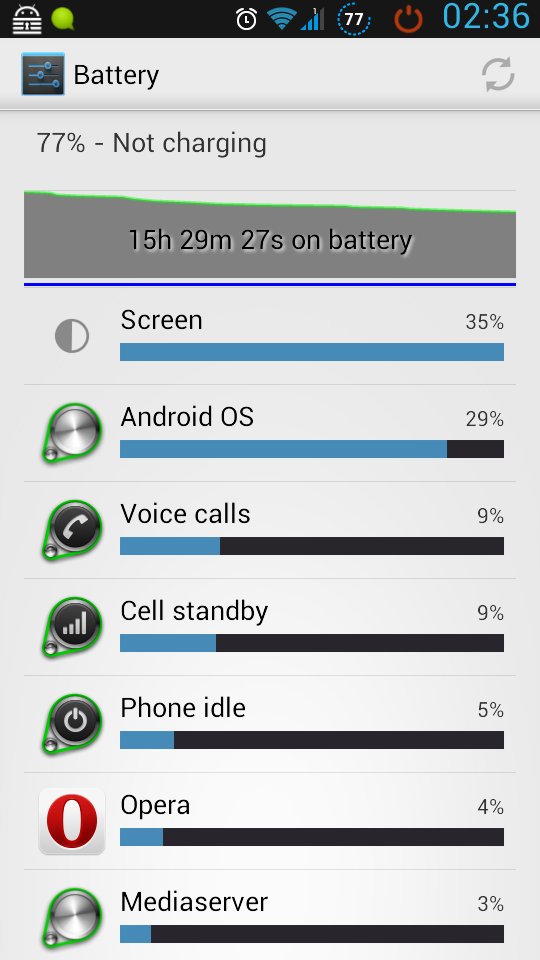
Once it arrived, I immediately installed 4talk and decided to use it 24x7, to evaluate the messenger and, in parallel, check how long the new device could live without charging. Here 4talk and the Lenovo pleasantly surprised me: in always-connected mode, with automatic switching from Wi-Fi to 3G when the former was unavailable, the smartphone could run for more than two days without charging. In the smartphone’s list of resource usage by programs, I had to scroll down a whole screenful to reach 4talk, since it used significantly less than the Google services (~41%). In parallel, I moved on to testing the desktop version. It is worth noting that 4talk is an end-user product, maximally simplified in line with all modern trends. Those who like QIP or Miranda may feel a certain discomfort. There is a minimum of settings in the program, and the features follow a principle closer to Apple products: few, but beautiful and simple. Moreover, the desktop client is essentially an appendage to the mobile one, and one should not expect anything extra from it. One of the important features of this messenger is that it is tied to your mobile phone number and does not require regular authentication. A new device is activated by sending a code to your number via SMS, and after entering it nothing more is required of you. There are no logins and passwords here. More precisely, your phone number is the login, and it serves as your identifier (it is used in the jid), while passwords work on an OTP scheme. But for the end user everything is much simpler. The service concept also includes the OMMG principle — Open Mobile Messenger Graph. This means that if there is a person in your smartphone’s phone book who has you in theirs, a contact between you will be established automatically and you will see each other in the client’s roster.
What can i do?
Actually, before installing, many people may ask themselves: “But why?”. Perfectly logical. Let’s look at some of 4talk’s features:
- Message delivery. This is not a special feature but what any messenger should do, judging by its name. 4talk runs on the XMPP protocol with its own implementations of some of the functions.
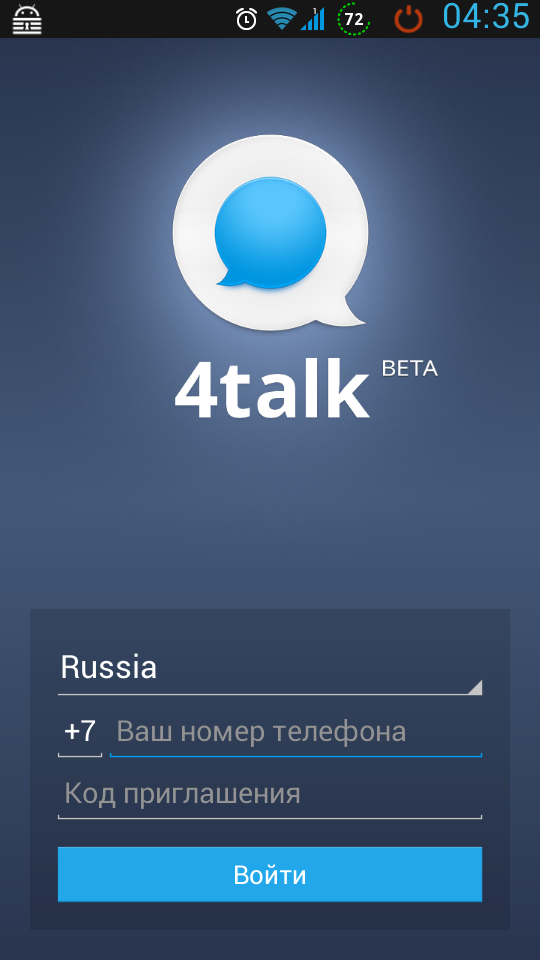
- Authentication by mobile phone number. Registration and connecting new devices to an account are performed via the mobile phone. You enter the number, receive a message with a one-time code, enter it, and the device is tied to the account.
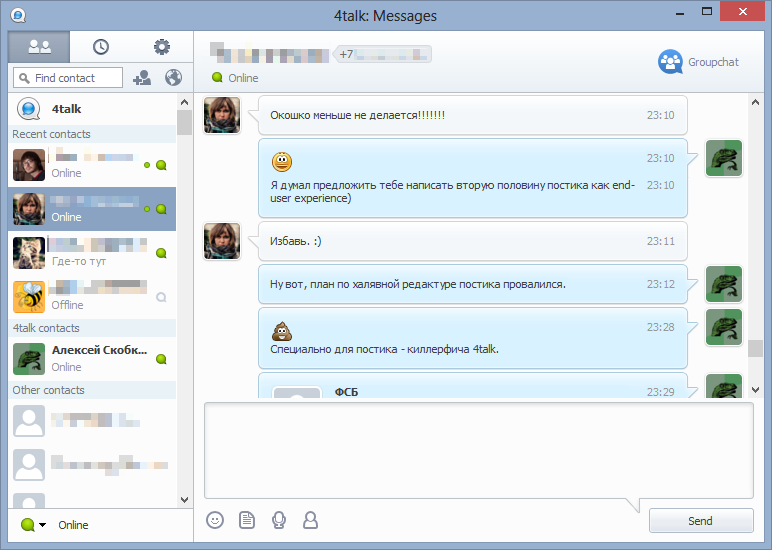
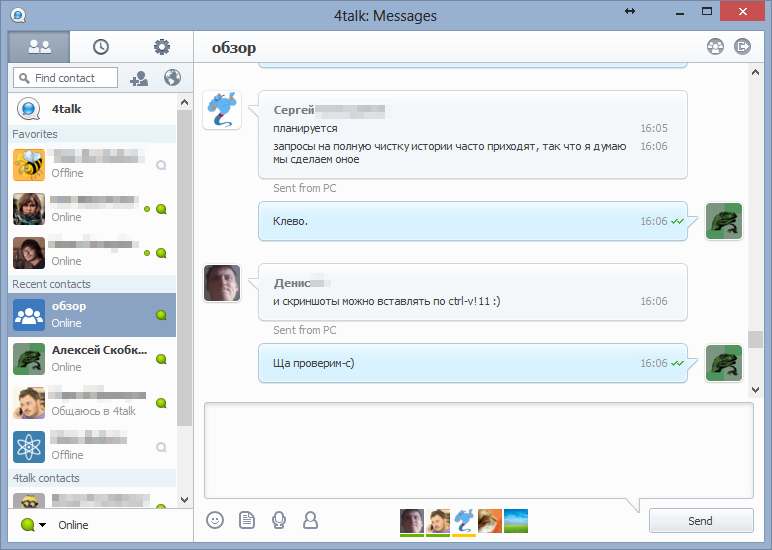
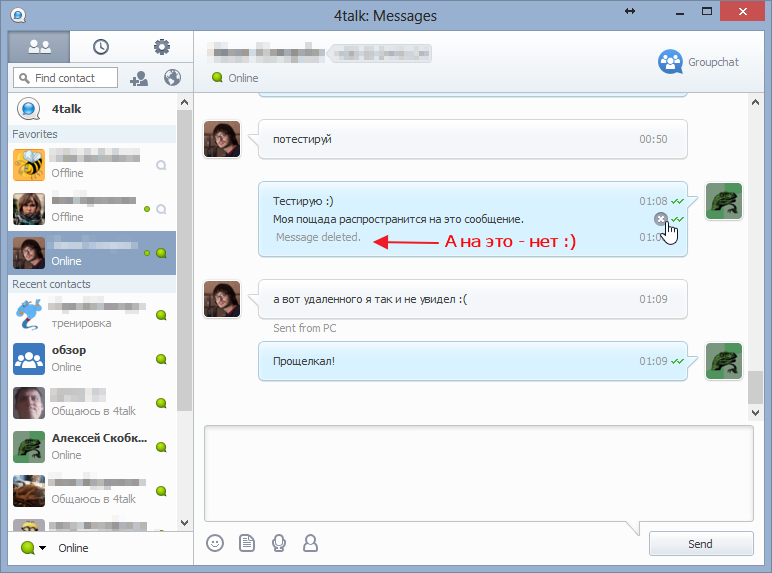
- History synchronization. Those who use “vanilla” XMPP know that there is an XEP for storing history on the server. It is used almost nowhere, and therefore achieving adequate history synchronization is rather difficult. Skype, on the other hand, has a rather strange history implementation, thanks to which you can turn on another device and receive, say, a whole day’s conversation as unread messages. Another interesting thing here is that deleting your own messages in a conversation is supported. Deletion happens on all devices at once, including on the other party’s side. Moreover, according to the developers, the history is deleted on the server as well. (see screenshots)
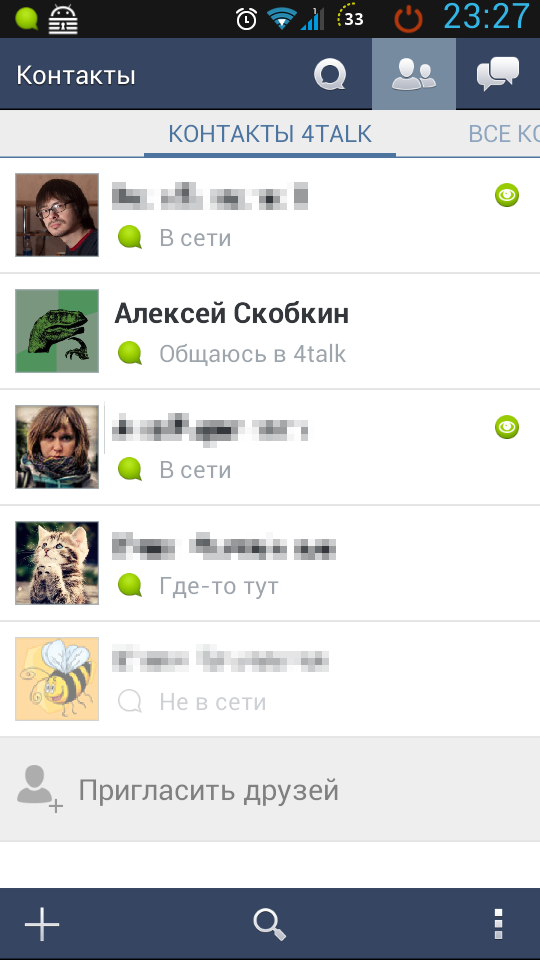
- Mobility. 4talk was originally designed as a mobile messenger. Therefore it works very well on mobile devices and consumes their resources carefully. (see screenshots)
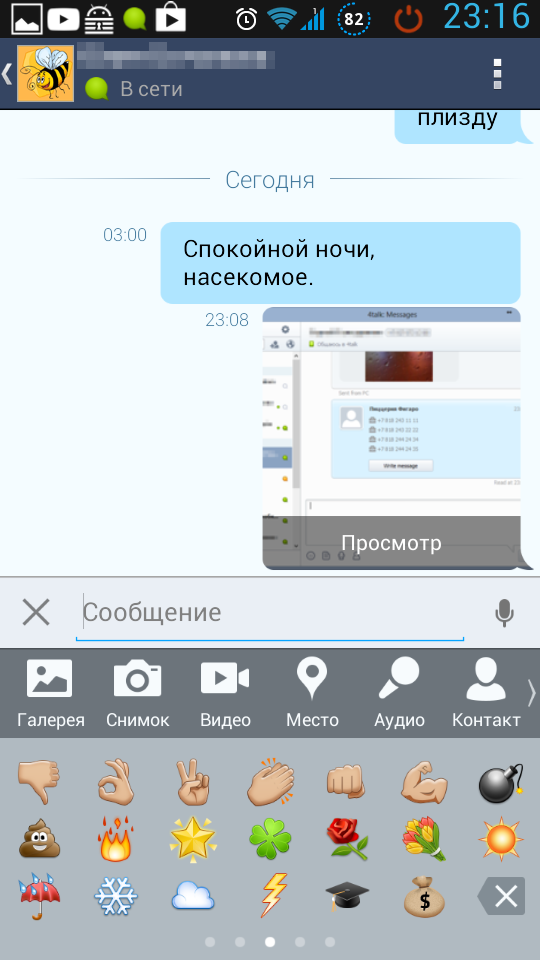
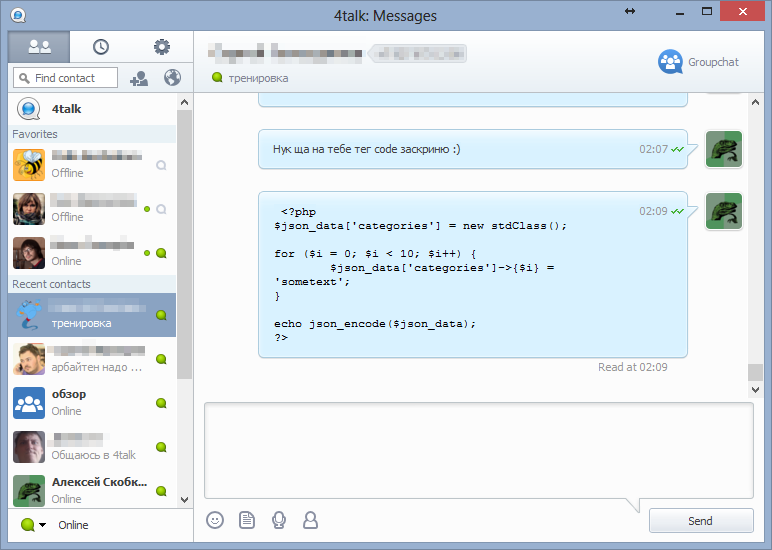
- BB codes. The Windows and Android clients support BB-code. Moreover, implicitly — there are no interface elements responsible for text formatting. That is, automatic formatting of things like quotes and image links will work. You can even type the BB codes you are used to from QIP and they will work fine. But doing it comfortably in one click will not work. A good reason to surprise your friends. However, it is worth keeping in mind that, at least at the moment, the mobile version renders the formatting of outgoing messages not as well as the desktop one. (see screenshots)
- Multi-user chats / MUC / conferences. Like many other modern messengers, 4talk supports multi-user chats. The capabilities here are the same as in ordinary dialogs. Unlike XMPP, a notification is shown when someone is typing. It is much more reminiscent of Skype conferences than of the original MUC. (see screenshots)
- File transfer via the cloud. Since file transfer is one of the most problematic features in any messenger, the 4talk developers chose a workaround — transfer via the cloud. The advantages are obvious: the file can be received on any device, and there is no need for a white IP address or router port forwarding for sending to work. The disadvantages, unfortunately, are there too: a limit on the size of the transferred file (30 megabytes at the moment), the file being stored on someone else’s servers, and a transfer speed limit when on a local network. Also worth noting is the tracking of the state of received files on the computer: if a file has been deleted, the conversation window will offer to download it again.
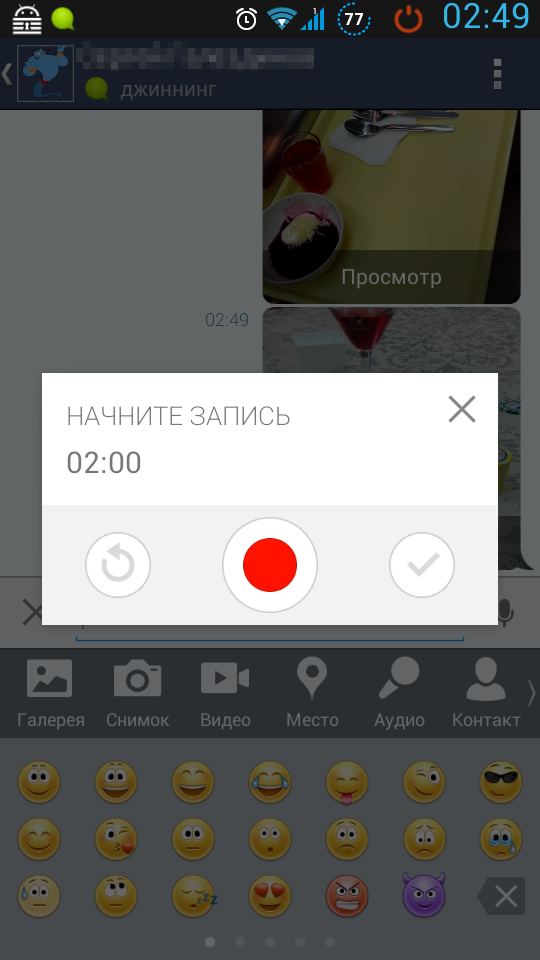
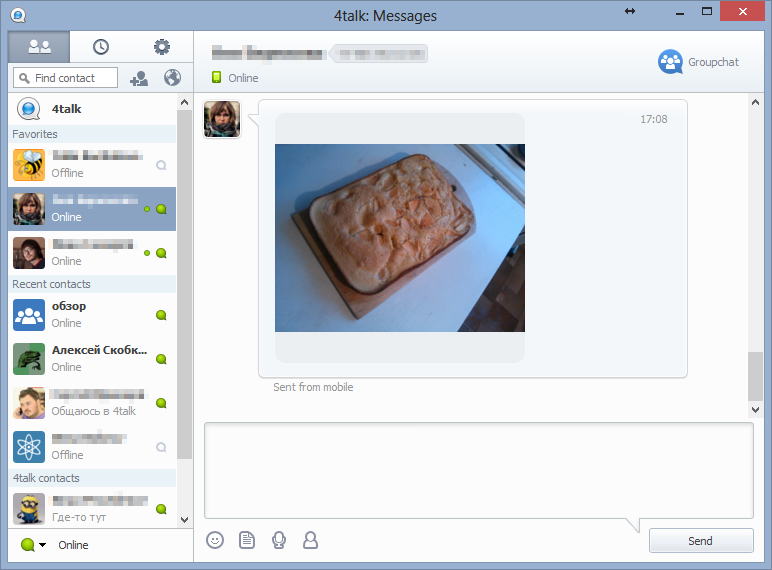
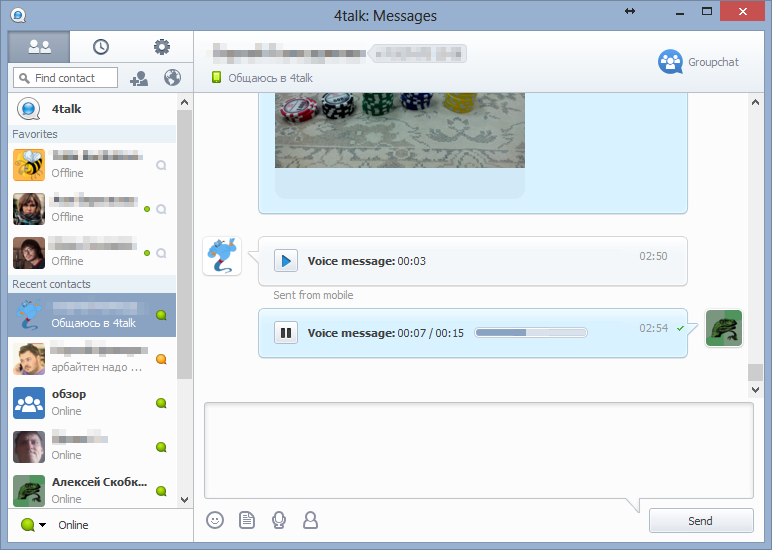
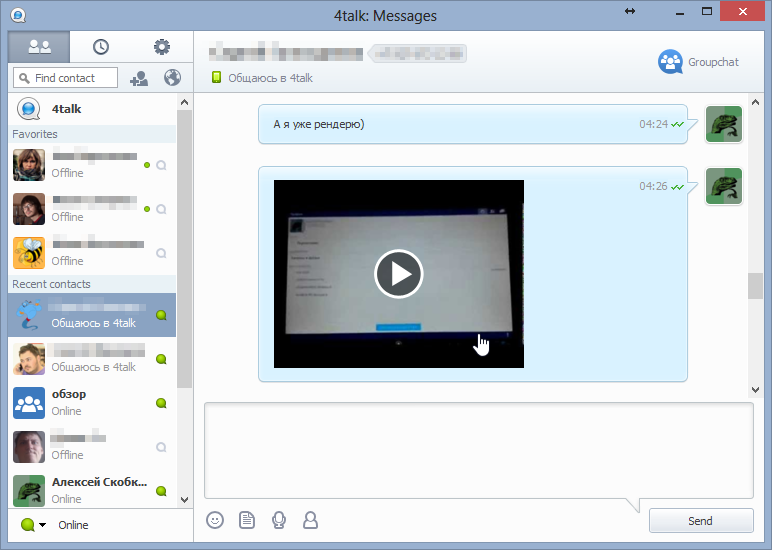
- Multimedia messages. Multimedia messages can be of different types: images, video, audio. All of them work via the cloud file transfer mentioned above and are displayed interactively in the conversation. That is, if you take a photo on your smartphone and send it to your conversation partner, they can view it right from the conversation, both on Windows and on Android. Voice recordings work the same way: they can also be made and listened to on any device. Note the two-minute limit on recording length. (see screenshots)
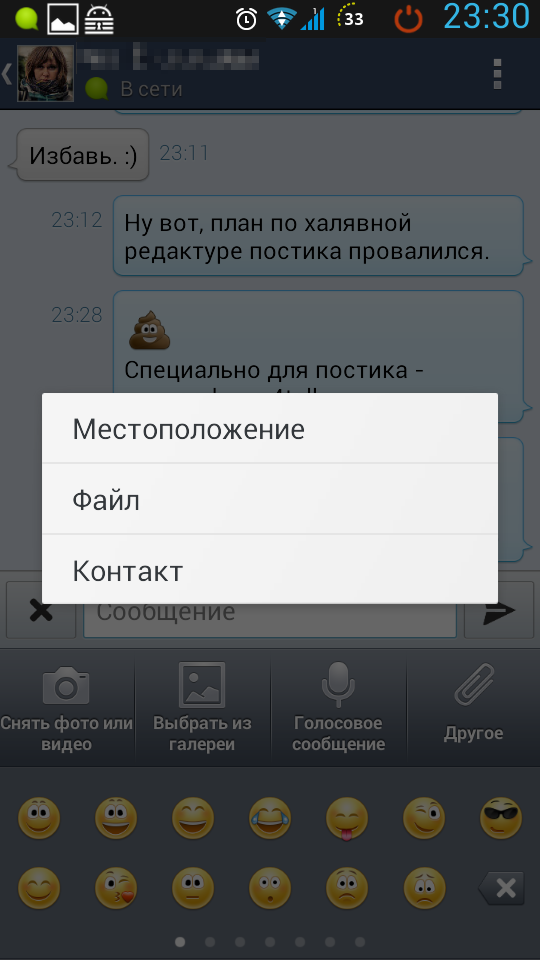
- Contact sharing. The messenger implements convenient sharing of contacts with the other party. (see screenshots)
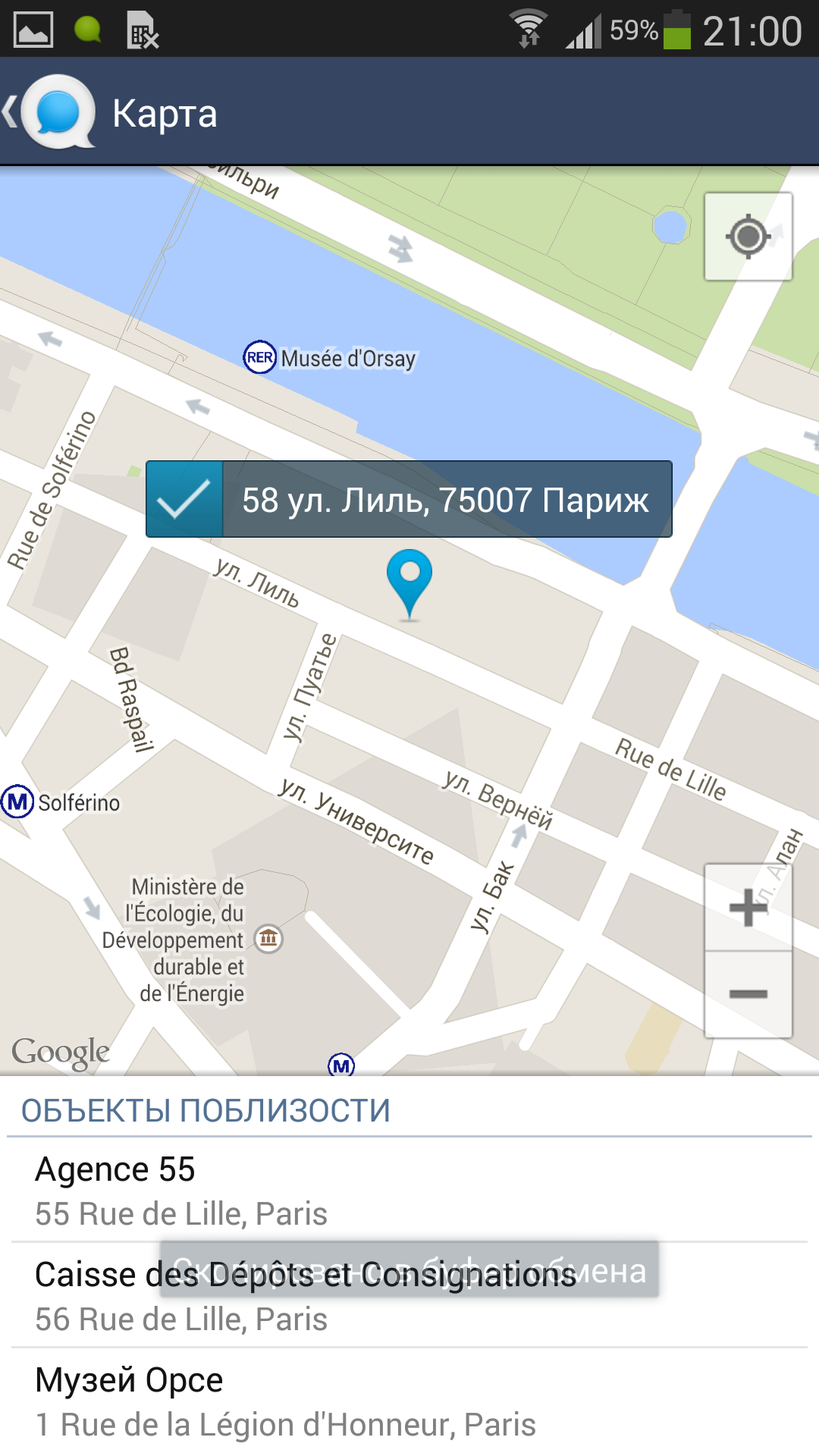
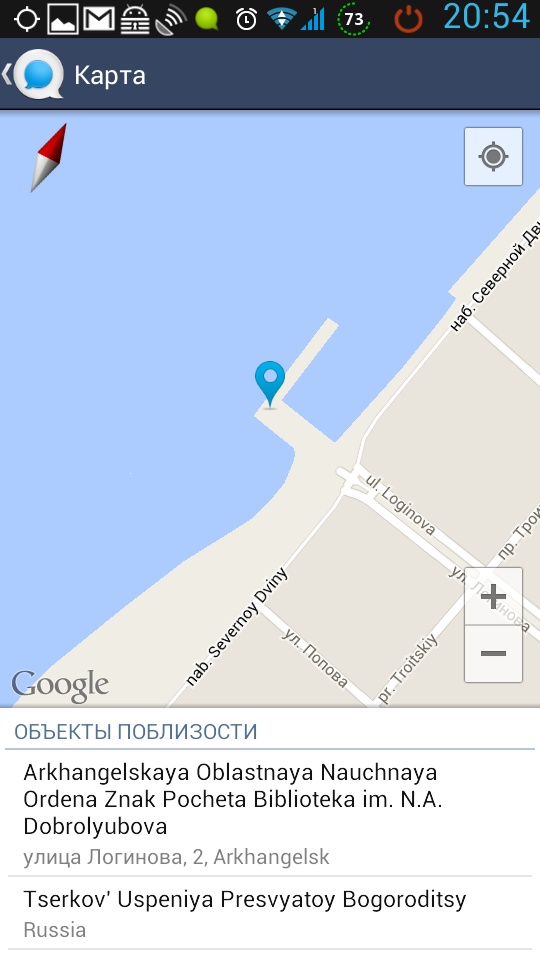
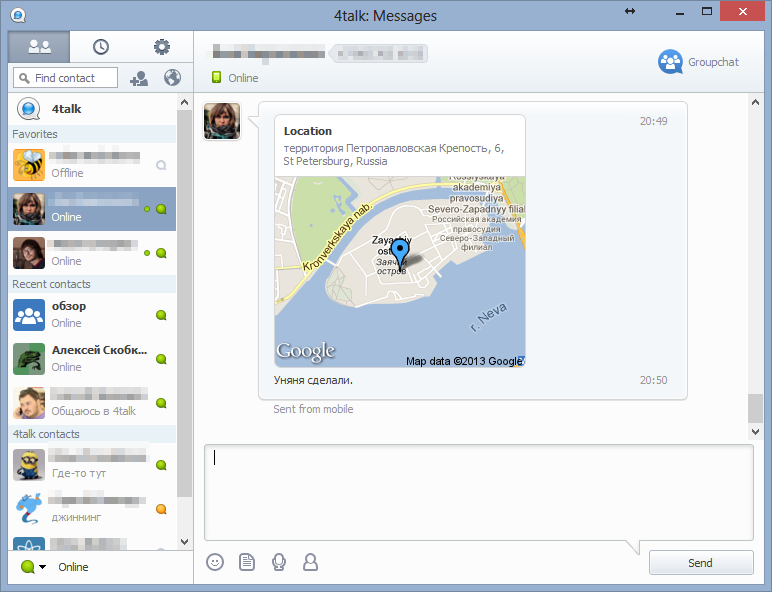
- Geo messages. A convenient feature that lets you put a marker on a map and send it to one or several conversation partners. True, there is a shortcoming here too for now: a marker cannot be created from the PC (viewing received markers works fine). I suppose this will be fixed over time. (see screenshots)
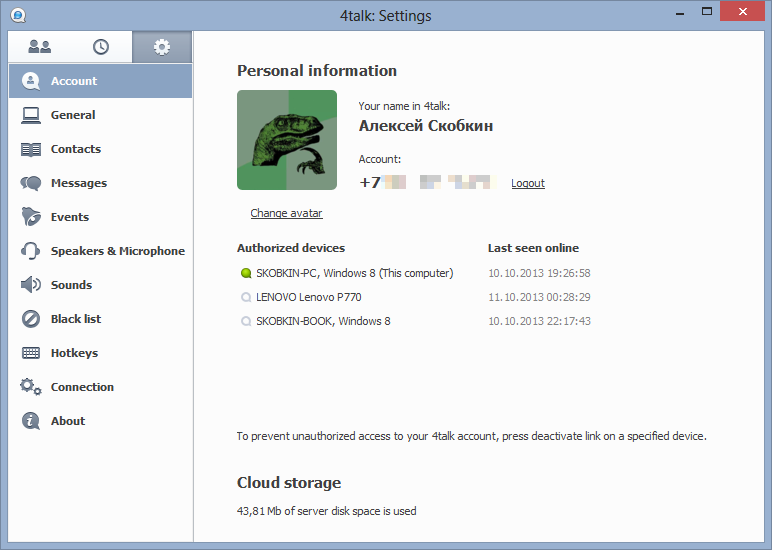
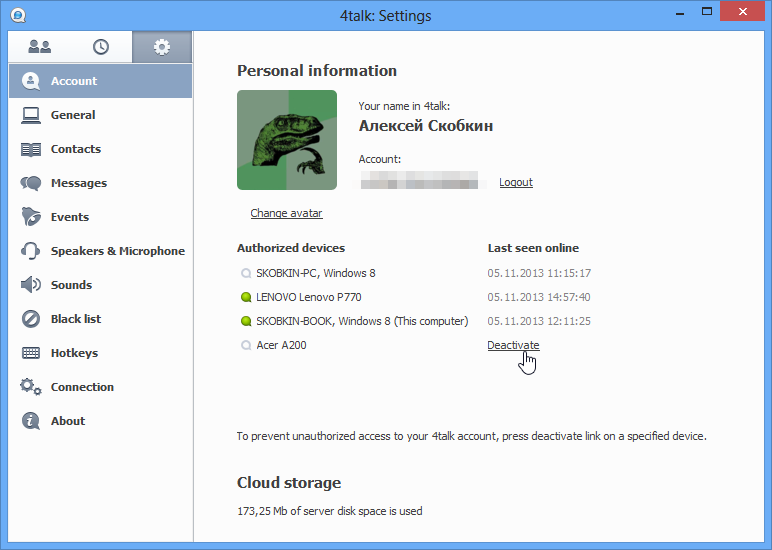
- Device authorization management. To raise the security level, there is the ability to deactivate a device. The deactivation of any other device can be performed from one of the authorized devices. During this procedure, the entire message history is deleted on the device being deactivated. (see screenshots and video)
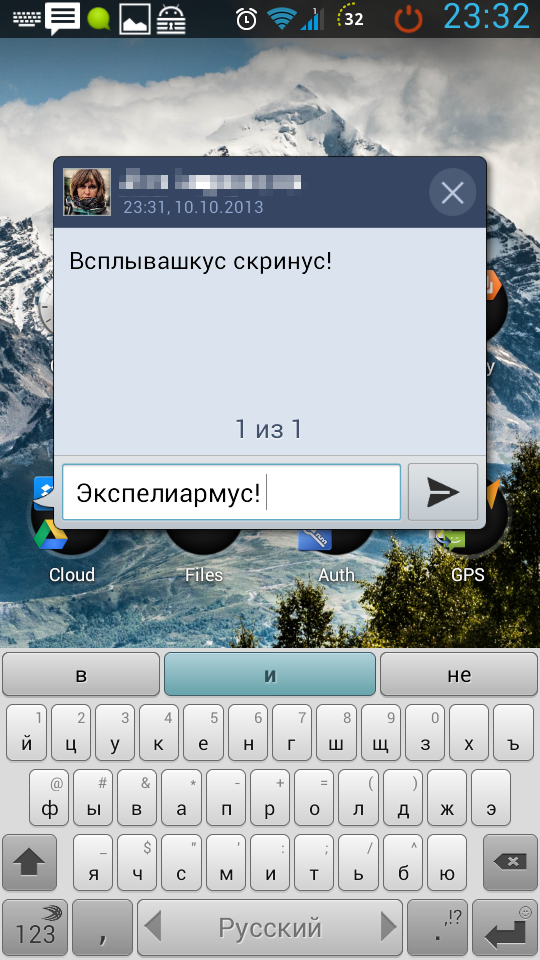
- Spell checking / spellcheck. Many programs support spell checking via plugins. But few messengers can boast of this capability “out of the box”. (see screenshots)
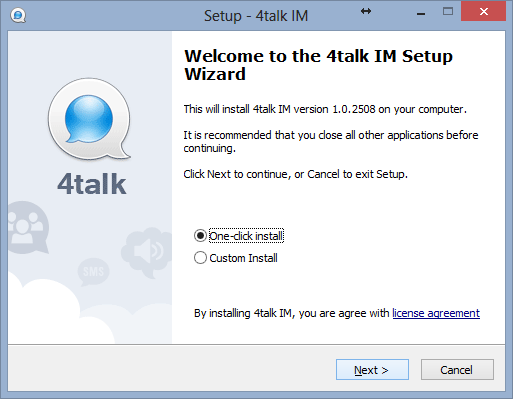
- One-click installation. In principle, such an installer feature surprises no one these days. But it is there, and many users will like it. About the other side of the coin — at the end of the review. (see screenshots)
- SSL. All traffic sent and received by 4talk is encrypted with SSL, which makes it impossible to read the correspondence by intercepting traffic on a router or sniffing an unencrypted wireless connection. If a certificate check fails, the connection is terminated.
What has been seen cannot be unseen
Android
Old interface


New interface






Windows

Device deactivation
On a sad note
Closedness
Although 4talk left an overall good impression, it is by no means a perfect messenger. For me personally, a big downside is its closedness. For example, using Juick in 4talk is impossible. The absence of S2S is a logical move in this case, but for me, an adherent of XMPP as an open standard for decentralized communication, it is not the best quality of service. Besides, the desktop version is a side project, so there is hardly any point in waiting for versions for operating systems other than Windows and Mac OS X (there is no such version yet). As a user of an OS zoo that includes Linux systems, this inconveniences me too.
Departing from system principles in favor of the user
It is also worth noting a tendency typical of modern software that panders to the user in every way. By default, installation goes to the %APPDATA%\4talk directory, which is not quite right from the point of view of software installation principles in Windows (Hi, Google Chrome!). True, this does allow the user to install the program without UAC prompts, including on a work computer, without having access to an administrator account. Installation into Program Files is possible when running the installer manually with administrative rights and choosing that directory. However, in that case 4talk’s operation may not be entirely correct in some cases. One would like to believe that this is a childhood disease of the testing stage and that over time 4talk will learn to work “properly” just as well as it installs “in one click” for regular users.
No way to turn OMMG off
As strange as it may sound, this is a downside for me too. After all, I would like to manage my contact list myself and, consequently, see in it only the people I want to see, not absolutely everyone with whom there is a mutual phone-book entry.
Summary
The service is quite good and will definitely find its niche. However, I, as an idealist for the freedom of everything (software, communication and so on), would prefer that most of these functions be implemented as an evolution of the existing XMPP servers, with a client made that is not tied to any specific service. Unfortunately, this contradicts the 4talk concept and the most popular ways of monetizing services, which is understandable. Despite this, I can recommend trying this client and deciding for yourself how convenient it is. I would also like to note the good approach to working on the product. To write this review, I got in touch with the developers, who willingly answered all my questions and clarified some of the finer points of how the client works.