Fixing GPS on the HTC Wildfire S running CyanogenMod 7.
Note
This article is outdated but kept for historical purposes.
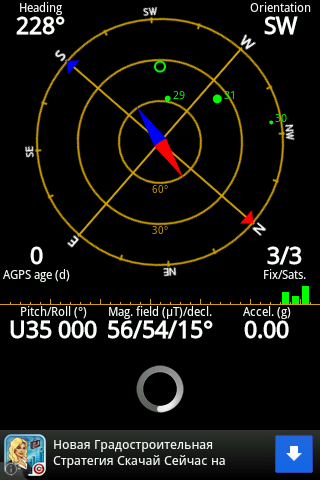
Many users of the CyanogenMod 7 port for the HTC Wildfire S may have run into the fact that GPS on this firmware simply does not work or takes an extremely long time to get a position fix. Positioning on these devices works via A-GPS, in which base stations and a support server (a SUPL server) are used for the initial position fix. Also, positioning requires precise time and its synchronization via the NTP protocol. The thing is that this CyanogenMod port ships with a somewhat incorrect /etc/gps.conf config. To make GPS work correctly, the correct NTP and SUPL entries need to be specified in the config. An NTP server can be chosen on the pool.ntp.org website. For Russia, the optimal choice is ru.pool.ntp.org, for Ukraine — ua.pool.ntp.org, for Belarus — by.pool.ntp.org. Next, we specify the SUPL server supl.google.com and port 7276. In the end, we get a config roughly like this:
NTP_SERVER= ru.pool.ntp.org
XTRA_SERVER_1=http://xtra1.gpsonextra.net/xtra.bin
XTRA_SERVER_2=http://xtra2.gpsonextra.net/xtra.bin
XTRA_SERVER_3=http://xtra3.gpsonextra.net/xtra.bin
SUPL_HOST=supl.google.com
SUPL_PORT=7276
After that, you can reboot the device and test the GPS. For testing, you can use the GPS Status & Toolbox utility, which can not only show the GPS status but also refresh the satellite information to speed up a cold start.