World of Tanks Crosshair Sway Patcher
Warning
This is a historical note from 2011 about an old version of World of Tanks. The patcher is long obsolete: starting with version 0.6.4, crosshair sway can be disabled in the game settings.
Many people already know that crosshair sway in World of Tanks is handled client-side and is not verified in any way. Because of this, the developers decided to add the ability to turn off crosshair sway in the upcoming patch 0.6.4. However, the patch will most likely only ship in the summer. So I decided to write a patcher so that any player could disable it right now. Instructions for patching it with a HEX editor are already available online.
Briefly, in order to patch the client, in each tank’s file you need to find the binary sequence starting with FAR0
and ending with the byte 0x03 and change the numbers to zeros. That is exactly what my patch does. Usage
instructions:
- Go to the game folder, then into
\res\scripts\item_defs\vehicles\. - Go into one nation’s folder and select the tank files with the mouse. Tank files only, because it patches
EVERYTHING you give it. Files like
list.xmland others that are not tank files must not be patched. - Drag and drop them onto the program file.
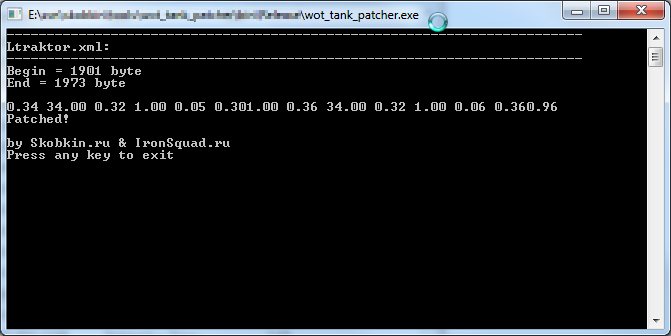
- You should see a picture roughly like the one on the screenshot.
- Repeat for the remaining nations.
If the client does not start, it means you patched an extra file or patched something incorrectly. Restore the tank files from the backup (Tank-File.xml.bak) and try again, paying closer attention this time. Tip: if you are unsure or afraid of breaking the client, make an archive of the nation folders (ussr, usa, germany), then try patching your main tank (or any of the ones sitting in your garage), then start the client and take it for a drive. If there is no sway, repeat with the rest of the tanks. Good luck on the battlefield!