A Cure for Forgetfulness - Multi Password Recovery
Note
This is a copy of my review written for the Softkey resources
These days you have to keep very large volumes of information in your head. It is the information age, after all! At some point, all of us find ourselves in situations where something important has been forgotten. The article should have been written yesterday, but you only remembered it today. Writing an article, everyday problems, personal life… But what if, for a moment, we imagine a more local problem: a user has forgotten their email password. There are two ways this can go - the user recovers the password through the reminder system, if there is one, or the user is left without their account because the password could not be recovered.
Introduction
The problem of keeping information such as passwords safe comes up for ordinary users very often. The passwords issued by various services upon registration are hard to crack by brute force, but they are completely impossible to memorize. You can come up with memorable and uncrackable passwords, but even that will not save you from the day when the password is forgotten and you find yourself standing before a login form, powerless to do anything. Modern browsers and other programs that require entering logins and passwords try to meet the user halfway by offering to remember passwords. On the one hand, this is devilishly convenient - press CTRL+Enter in Opera and log into your favorite site without even recalling your credentials. On the other hand, it becomes that much easier to forget them. And so the moment arrives when the password is forgotten and the password reminder does not work for some reason. Give up the mailbox? Not an option. You most likely have VKontakte accounts registered on it, forum accounts and so on. This is where Multi Password Recovery comes to the rescue - a utility for recovering passwords from a great number of popular programs. If you saved a password in your browser or ICQ client, it can help you. The list of supported software contains a great many programs popular in wide and narrow circles alike, among which the most notable are:
- E-Mail clients: Mozilla Thunderbird, Opera mail, Outlook, The Bat!, Becky, Mail.Ru Agent, Windows Live Mail
- Browsers: Opera, Mozilla Firefox, Internet Explorer, Google Chrome, Apple Safari
- IM clients (messengers): QIP 2005, Miranda IM, ICQ (99-2003, Lite 4-5), MSN Messenger, &RQ, Trillian, Google Talk, PSI, Windows Live Messenger, Pidgin, QIP.Online
- FTP clients: Windows\Total Commander, FAR Manager, CuteFTP, FileZilla, WinSCP
- Poker clients: PokerStarts, Partypoker
- Download managers: Download Master, FlashGet
In addition, the program recovers data such as Windows registration keys, ASP.NET accounts, passwords from Microsoft Access databases and other valuable information.
Blast from the Past
The program is distributed in two forms: an installer and a portable version. In the first case the installation is simple and needs no description. In the second case installation is simply not required - you can carry the program on a flash drive and run it straight from it, which can be useful for system administrators who are constantly being asked about forgotten passwords. A new version of the program was released recently, in which some functions were improved and a problem that could have undermined user trust in the program was fixed - the previous version was detected as a virus by some antiviruses. The new version fares considerably better; the most popular antiviruses no longer raise suspicion. After launch, the main program window appears and a search is performed for programs present in the system and the passwords saved in them.
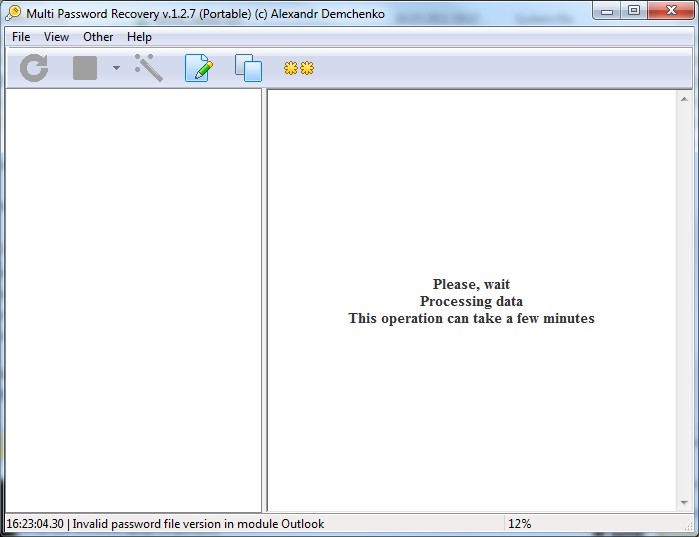
Once the information gathering is finished, we are presented with a tree of the collected information and a report on the process.
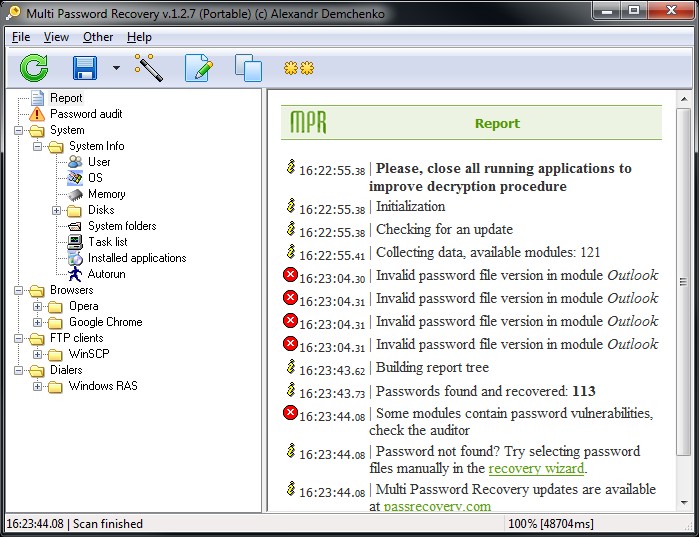
The report contains summary information about problems encountered during gathering, the total amount of collected data, and advice to check the password auditor if the passwords found are too simple.
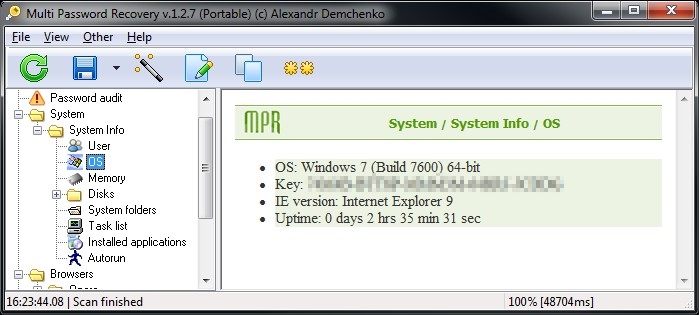
The first thing available is system information: the user name, language and display settings, the operating system version and its registration key, the Internet Explorer version, information about RAM, system disks, system folders, processes, installed programs and startup entries. For the most part this information is only useful to advanced users and is, in essence, excessive for a program of this kind, since it is presented in a rather inconvenient form and dedicated system information tools do this job better. The exception is obtaining the license key of the installed Windows copy, which can come in handy if the license sticker or product box has been lost. Saved program passwords are shown as text in the right part of the window.
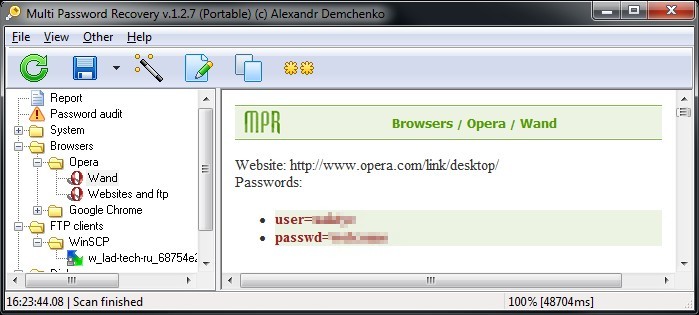
In the browsers section, passwords are listed in detail with the address of the page where they were entered and the login they belong to. In the case of Opera, the passwords are shown as a single list of the form:
- Site
- Login
- Password
- If other logins and passwords are saved, their list is displayed as well
also listed there is the login and password for Opera Link - the system for synchronizing bookmarks and other browser settings.
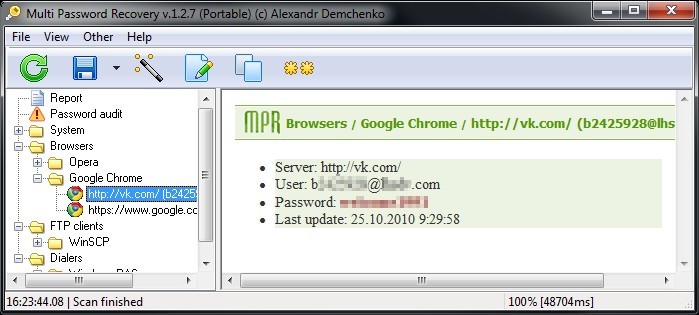
In the case of the Chrome browser, password entries are displayed as separate branches in the tree on the left, sorted by site and login. It is worth noting that if Chrome is running, the passwords saved in it are not collected. Otherwise the passwords are presented in the same manner.
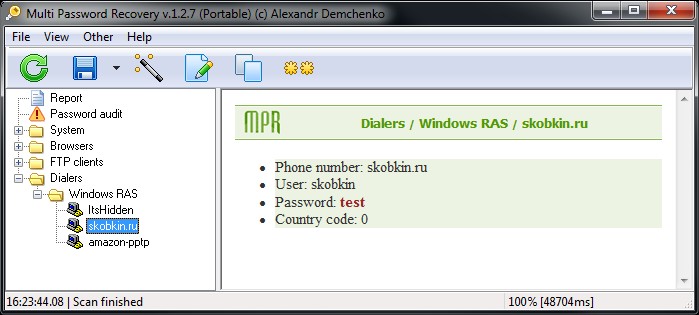
For example, in the screenshot above you can see recovered credentials for a VPN connection. Also, if you have the portable version of the program installed and it does not appear in the list of installed programs but you need to recover a password, the manual password recovery wizard comes to the rescue. It can be invoked through the “Other” menu, “Wizard”.
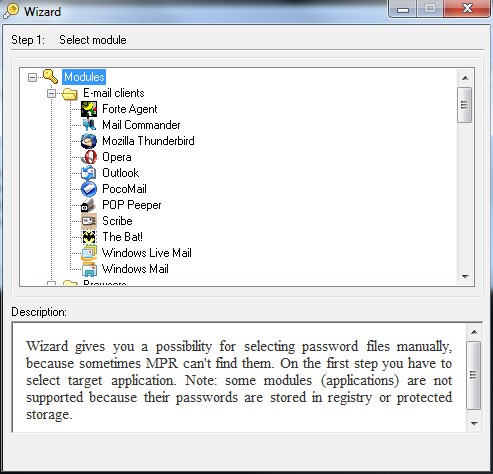
Here you need to select the desired program, after which Multi Password Recovery will instruct you on which file you need to specify to recover the passwords.
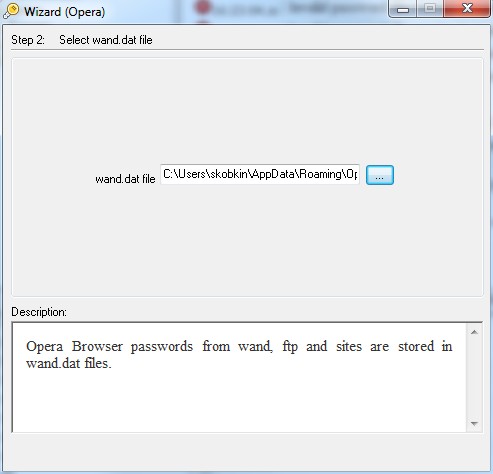
After these steps the passwords will be displayed in the usual form, as in the screenshots above. Also in the “Other” menu you will find the option to recover passwords from asterisked fields. By holding CTRL and clicking on a field with asterisks, you will quite likely be able to see the password hidden behind them. The same menu contains a function for copying the SAM file, which only works on 32-bit systems, so I could not verify that it works on Windows 7 64-bit. It allows you to copy the SAM file containing information about the Windows accounts on the computer and then, if necessary, recover the passwords with the appropriate software. The program also includes a secure password generator, configurable by several parameters: the alphabet to generate from and the number of characters.

Another useful feature is the password audit. This function will help dispel any illusions about how strong your passwords are. It lists all passwords that are easy to find via a dictionary attack and other types of attacks. For advanced users and system administrators, the command line functionality may come in handy. The program has been translated into many European languages and, naturally, English and Russian. As a bonus, the author offers a self-unfolding Tetris in the “About” section. It is hypnotic.

This review was prepared for Softkey.info