One Ring to Rule Them All. A Hidden Administrator Review.
Note
This is a copy of my review written for the Softkey resources
Warning
This material describes old remote administration software. For modern setups the author recommends open solutions such as RustDesk.
The internet is weaving its web ever deeper into our lives; network technologies are applied wherever one can imagine them. Cloud technologies, thin clients, network operating systems keep developing… A technological breakthrough? Not at all. It has always been this way. The saying applies here: “Everything new is well-forgotten old”. In this case, not even forgotten. When there was no such concept as a personal computer, terminals were used everywhere. An operator got access to the resources of a remote system from a distance. Nowadays these principles are applied to entirely different areas. Among them one can single out: system administration, technical support, distance learning and other uses of solutions for remote work with information. It is hard to imagine a large enterprise with its own infrastructure where remote management solutions are not used. Any self-respecting system administrator, if the opportunity exists, will install a remote administration system on the [client](https://en.wikipedia.org/wiki/Client_(computing) “Article about “Client” on Wikipedia.”) machines. One such system is Hidden Administrator - a full-fledged solution for remote management, demonstration and observation.

Features
The list of functions includes the standard capabilities of remote administration programs:
- Display and control of the remote desktop. The most basic functionality of any remote control program for the Windows family of operating systems.
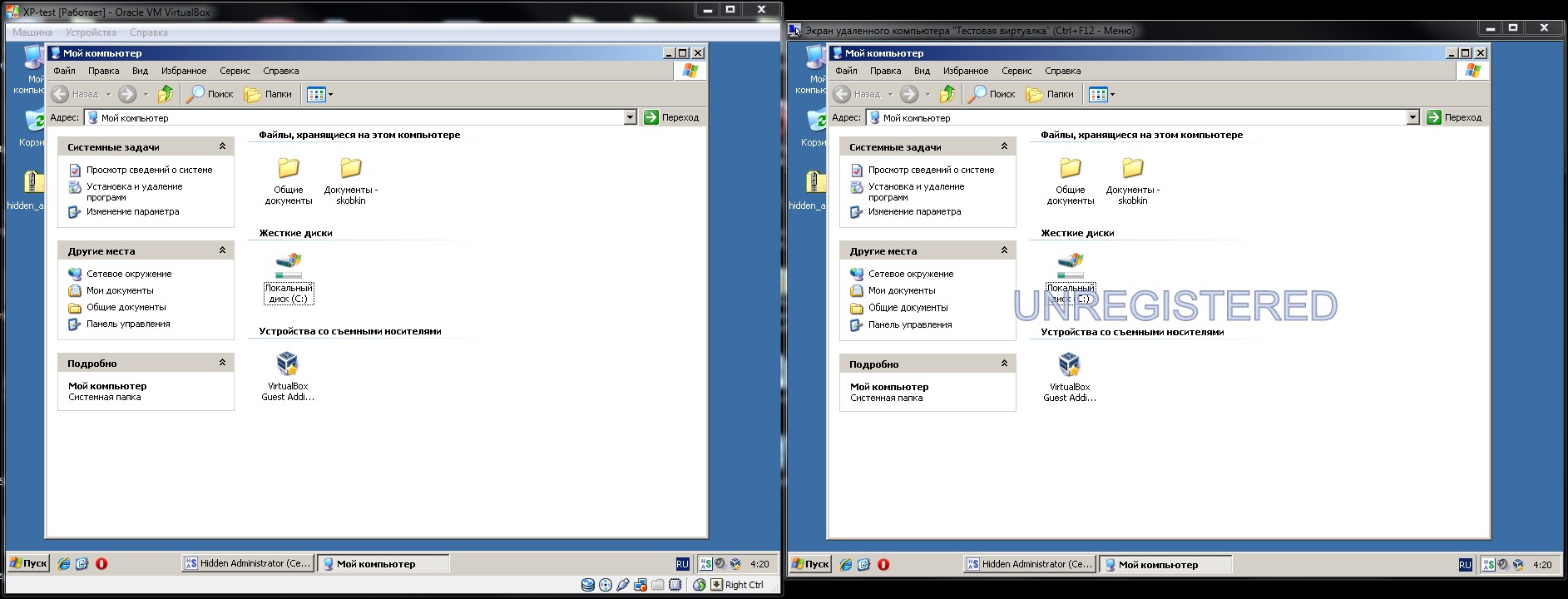
Overall, it works well over a local network, but there are scaling problems. For some reason the window does not open immediately at a size that displays the entire remote desktop. When trying to resize it, it is rather hard to pick a window size exactly matching the original image on the remote computer, which leads to two problems: no smoothing when scaling (which affects the look of system fonts) and imprecise positioning of the remote mouse pointer.

- Multi-screen mode. Displaying the screens of many remote computers on a single monitor. Supports displaying up to 256 computers. Clicking on any of the screens enables control and viewing of the remote monitor (see the screenshot above).
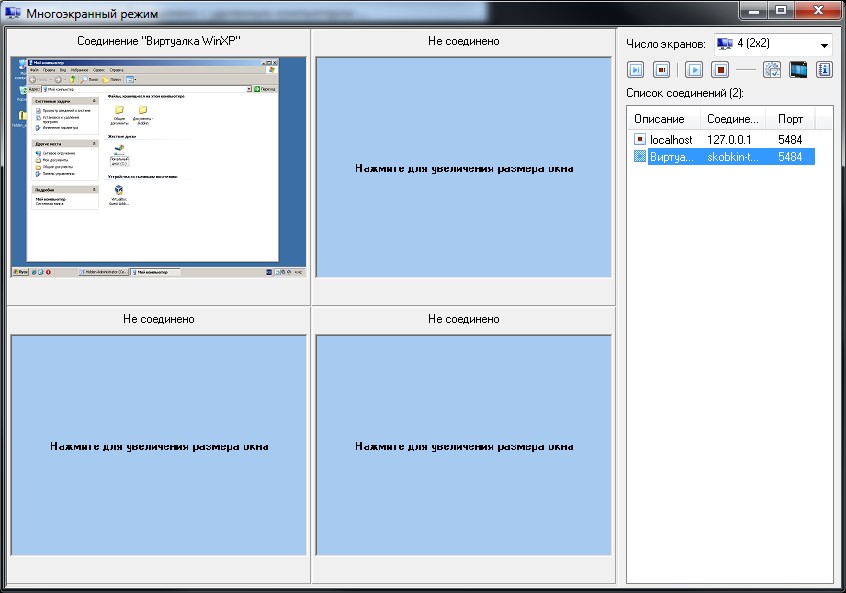
The list of available computers is displayed on the right. By clicking on a computer on the right or on an empty cell on the left, you can assign the display of a remote screen to the cell you want.
- File manager. Allows access to the file system of the remote computer.
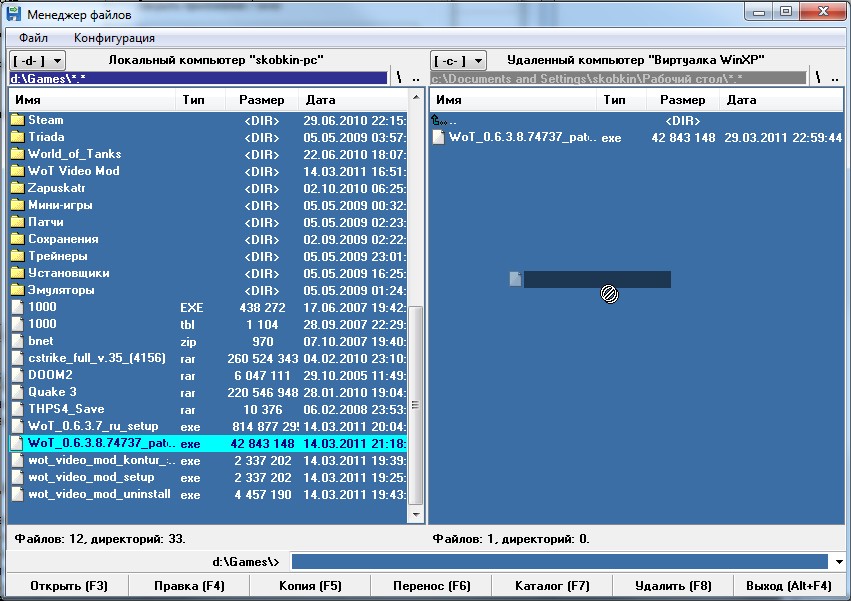
The official website claims support for Drag&Drop, but for some reason it only works in one direction - when copying files from the remote computer (see the screenshot). Otherwise the file manager repeats the functionality typical of programs of this kind, works with function keys and has some settings.
- Remote command line.
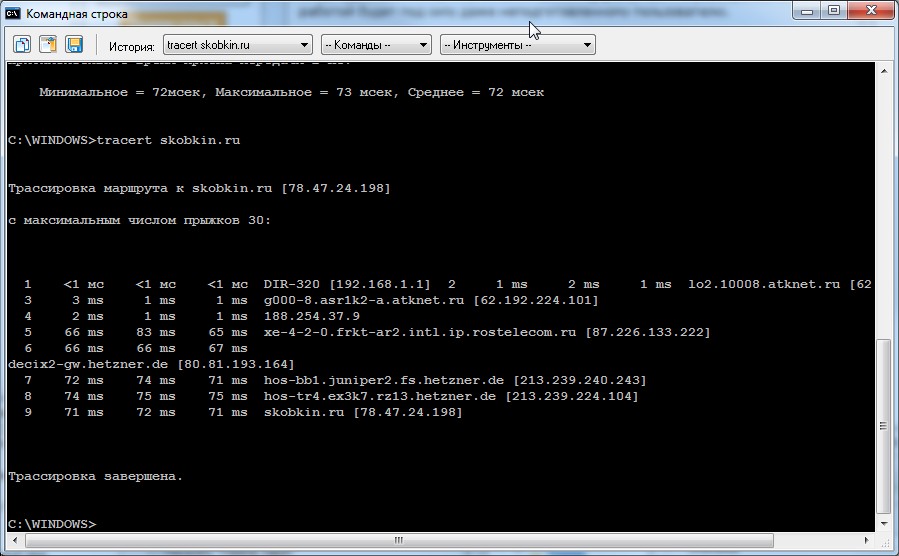
An equivalent of working with cmd locally. But sometimes the output of lines glitches when working with utilities like ping, tracert and similar ones, which do not output several lines at once. The glitch is that a line break either does not happen or happens in the wrong place (see the screenshot).
- Automatic discovery of servers on the network. Even though the test virtual machine had its own IP address on the router and was in fact on the local network, automatic discovery did not find it. But it was found through another discovery mode - by the “MSHOME” workgroup.
- Remote video viewing.
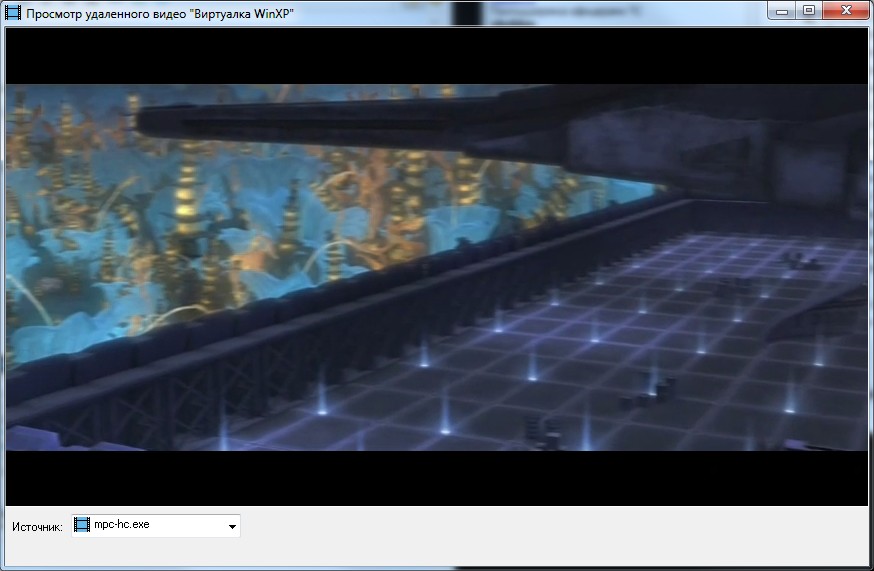
It captures the video overlay on the remote computer and displays the image on the local one. It works with Media Player Classic but does not work with Flash video in the browser. Also, the video refresh rate is rather low, so watching a movie will not work out.
- Remote sound streaming.
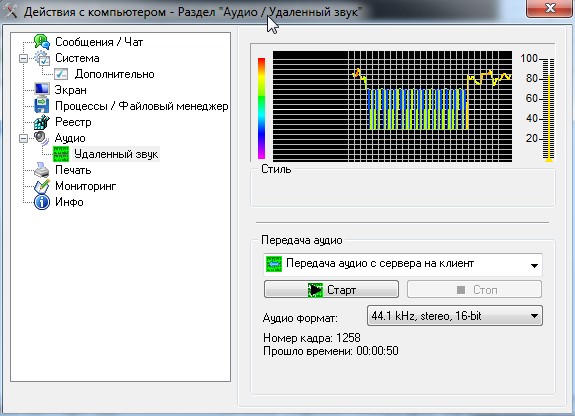
Similar to remote video, it transmits sound from the remote machine. I was unable to verify that the function works. Possibly because of the virtual machine, possibly for some other reason. However, the graph does display the remote sound.
- Remote process manager.
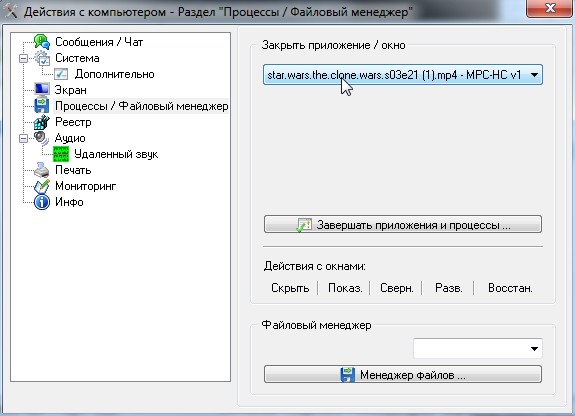
Here you can also observe functionality typical of task managers, as well as the ability to hide and show windows.
- User activity monitoring.
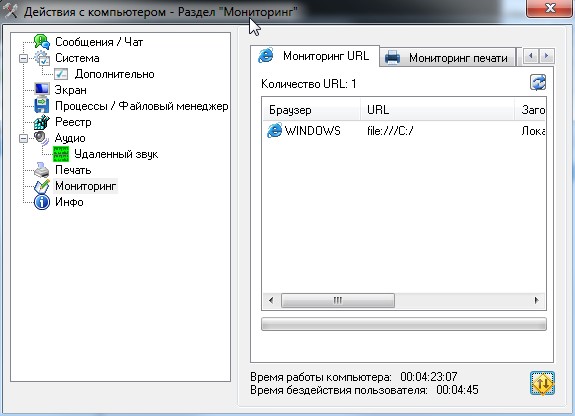
Here you can see the history of page visits in Internet Explorer, document printing and work with USB devices. In all cases, exporting the report to HTML is available.
- Wake On Lan. Allows turning a machine on remotely over the network. Can be convenient for switching on machines en masse without having to walk around the premises. This requires corresponding support from the hardware of the remote machines.
- Video recording and taking screenshots of the remote desktop.
- Working with the windows of remote DOS applications.
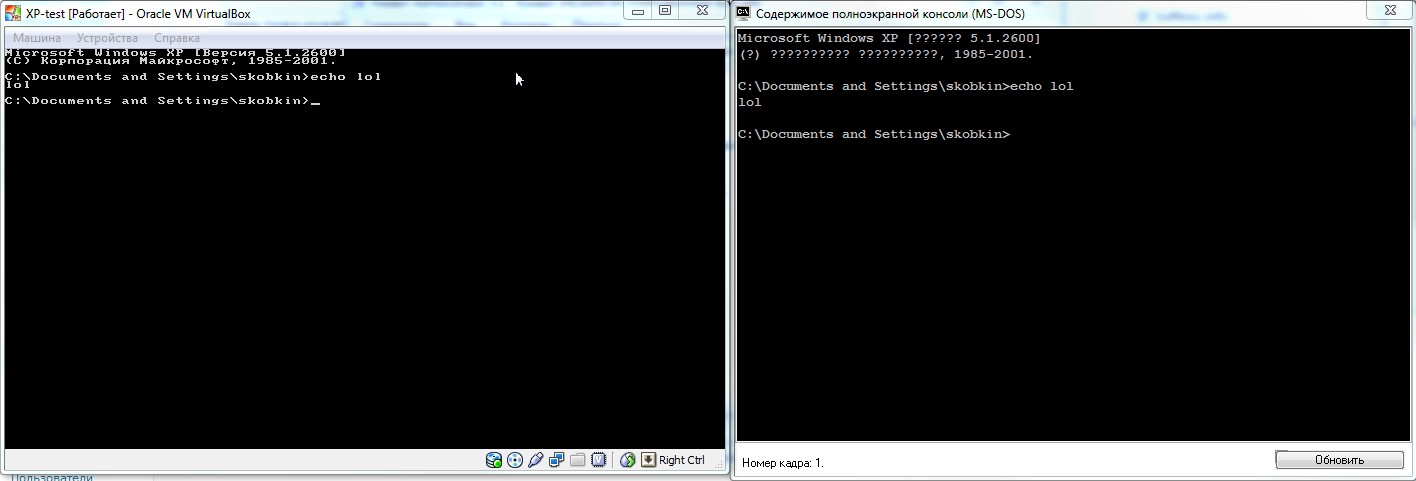
However, Cyrillic from the command line is transmitted incorrectly. No problems were noticed when working with Latin characters.
- Shutting down and rebooting the remote computer.
- Working with the remote registry.

The official website claims full-fledged work with the registry as an equivalent of the regedit utility; however, only string values can be created (as in regedit by default). There is no choice of the type of value being created. Likewise, there is no import-export of registry branches. Otherwise, the registry editor in Hidden Administrator really does resemble regedit. Among other things, separate registry settings are available, such as: allow\deny desktop, allow\deny registry editing and the like.
- Sending single notification messages and a full-fledged chat with the user of the remote computer.
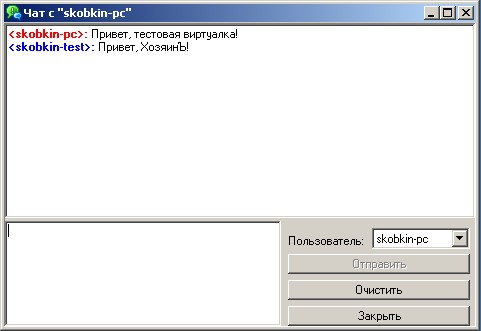
- Getting and transferring the clipboard.
- Getting information about the remote system.
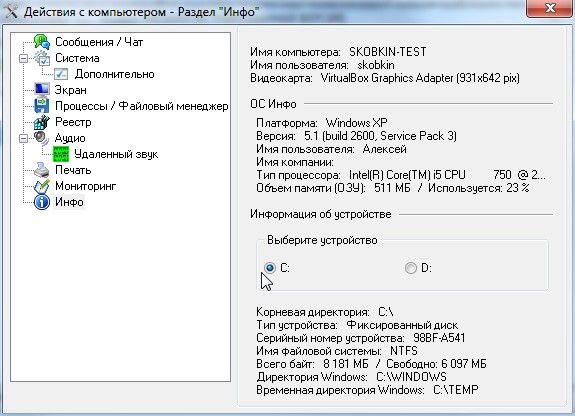
Summary information is collected about the computer name, user name, video card, operating system, processor type, RAM and hard disk.
- Remote printing.
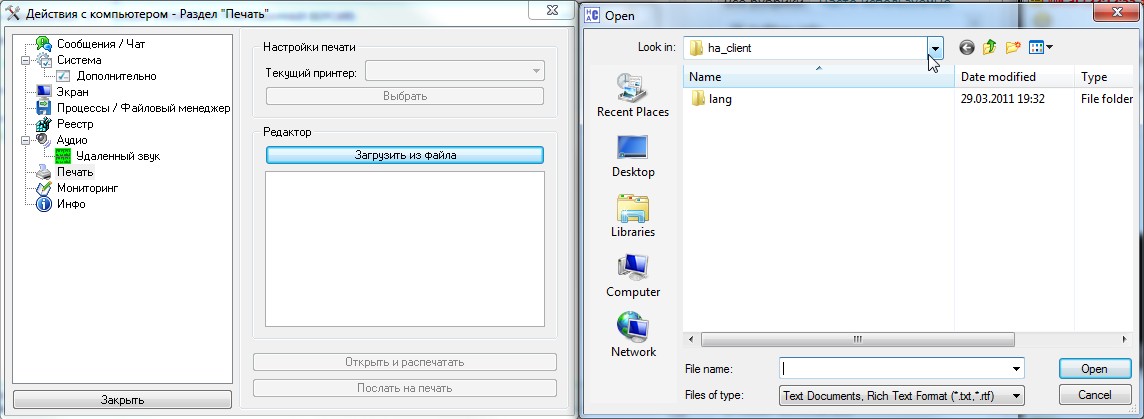
It should be noted right away that it only works with RTF or TXT files. Support for DOC or ODT files could not be found.
Security
The official website of the program separately mentions the security aspects provided by Hidden Administrator:
- Connection encryption. Intercepting the connection and packet analysis will not help an attacker capture any information.
- Password protection of the server. Only an administrator, and only with the password assigned on the server, can connect to the remote computer.
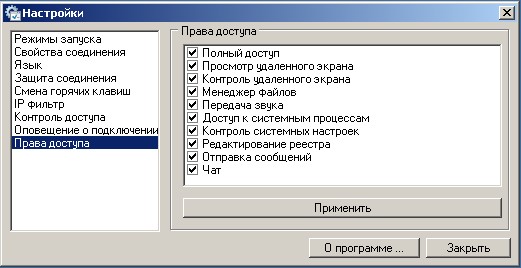
- Configuring access rights for controlling the remote computer.
Conclusion
The Hidden Administrator program provides quite broad capabilities for administering remote computers, accessing their files, training personnel and monitoring them. Among the disadvantages, one can note that not all of the declared functions work the way they are expected to, and corporate users may choose other products instead. One may hope that this review will help the author improve his product and raise it to a new level. This review was prepared for Softkey.info