LeechCraft. A Cross-Platform All-in-One.
Note
This is a historical article from 2010. The LeechCraft project has been effectively abandoned since 2014, so this review is only of historical interest.
Lately leechcrafts have been mentioned a lot on Juick, and someone even suggested approving the “hacking on leechcrafts” meme. I decided not to let a potential meme go unnoticed and write a short review of this program — all the more so since the topic of all-in-one suites is, in a certain sense, interesting to me. I went to the leechcraft.org website and downloaded the latest version for Windows. After installing it I experienced déjà vu. “This is Opera with a media player, an auto screenshotter and other odds and ends,” I thought. Only it’s an Opera that is very slow in how it responds, as I found out later. Which is understandable, really: Opera is a commercial product, while LeechCraft is a private free-software project done for the fun of it.
Browser

Pages load worse than in a proper Opera or in Google Chrome, which also uses WebKit — though a slightly different one. They load in bursts and slowly, and until a page has finished loading you can’t scroll it properly.
Player
A media player? I’m sure I’ve seen this somewhere before. Songbird, right? A browser-player. I considered that combination silly.

In Songbird I could play something right away, but here the player icon was unavailable for some reason. The first thing at hand was Georges Bizet’s Habanera. I tried to open it via “Open With”. Another surprise was waiting for me there. I remember that LeechCraft installed itself into the C://Program files/..../LeechCraft folder. In my opinion, this installation method only makes sense for products of a single company, which will quite likely all end up on the same computer; but when it’s known that LeechCraft is precisely an all-in-one that replaces a lot of software, it could just install into %programfiles%\Leechcraft. Well, whatever — I found it through the shortcut. But the leechcraft doesn’t like classical music, and instead of the Habanera it opened Habrahabr. Maybe the problem is that the names sound alike, or maybe it’s simply that I hadn’t closed Habr before closing the leechcraft :) But fact is fact — the music doesn’t play.
RSS
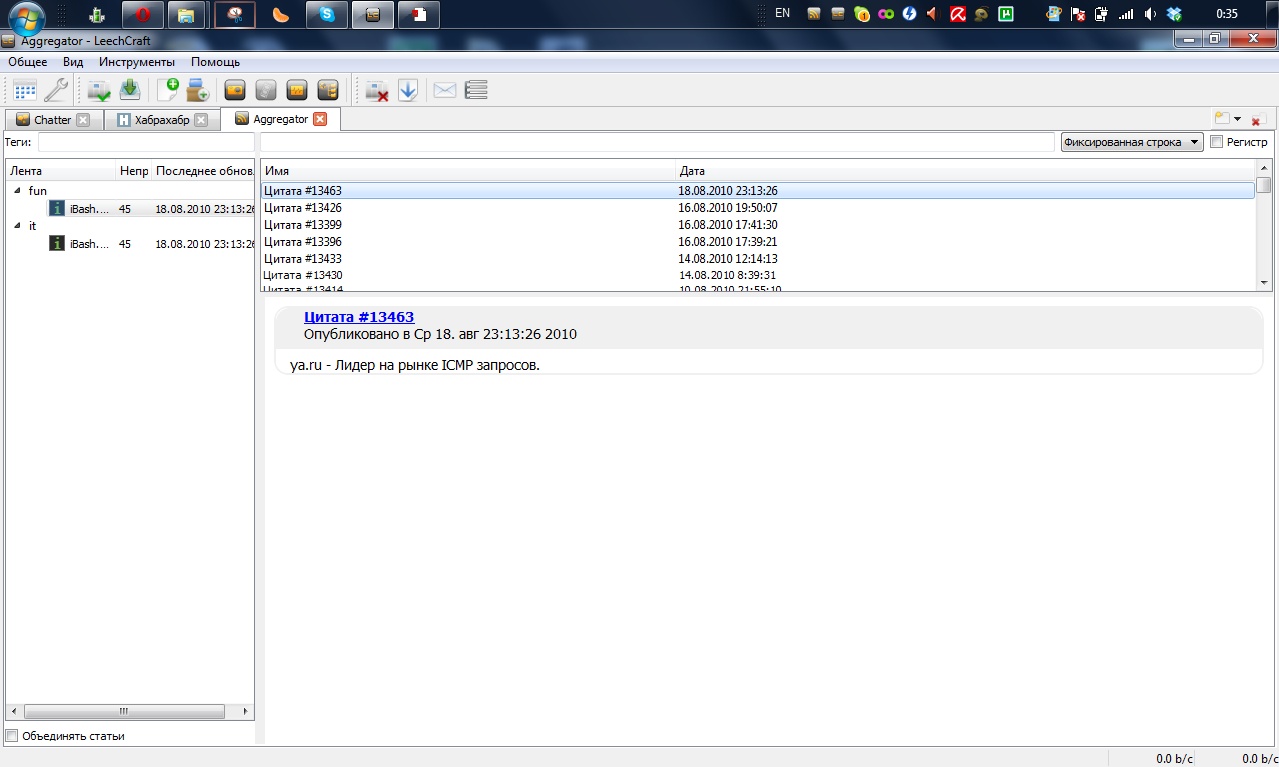
Here I opened Aggregator — everything feels somehow familiar again (just like in Opera), except the tags sticking out on the left get in the way. They could probably be laid out in a more convenient way. Switching between quotes from iBash, I noticed the same thing that had caught my eye in the browser — a certain lag in responsiveness, so to speak. In short, after selecting a quote, some time passes before it appears. Quote rendering, apparently, also runs on WebKit, which may explain the problem, but this lag still feels awfully dead. Perhaps because the program sort of freezes and the list item only changes when the RSS entry has already appeared; perhaps because the program gives no indication whatsoever that it is about to freeze for a moment — no hourglass cursor or, on Windows 7, the shimmering spinning circles. The tabs, by the way, don’t close immediately either.
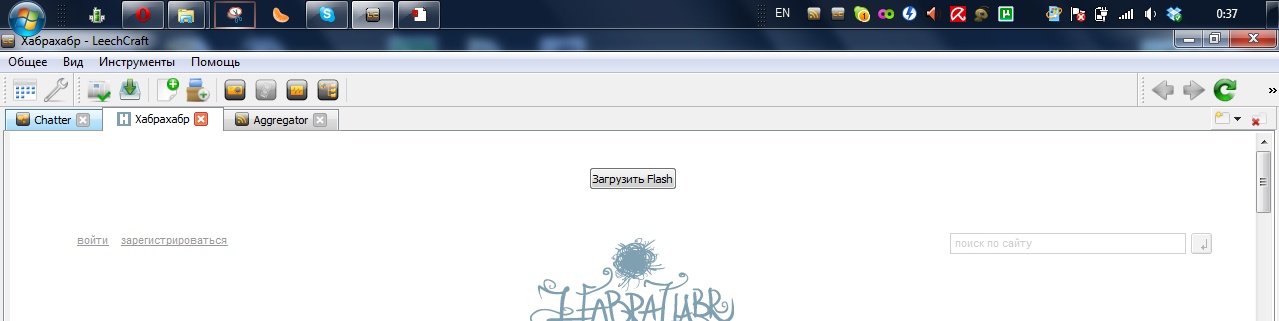
I dragged the left panel, which had bothered me plenty, up to the top, and returned to the browser, where a surprise was waiting for me. The address bar was gone. I opened another tab — it wasn’t there either. In the end I did figure out that the address bar is also a panel, one that had somehow slid off-screen while I was moving the left panel in another module of the program.
IRC
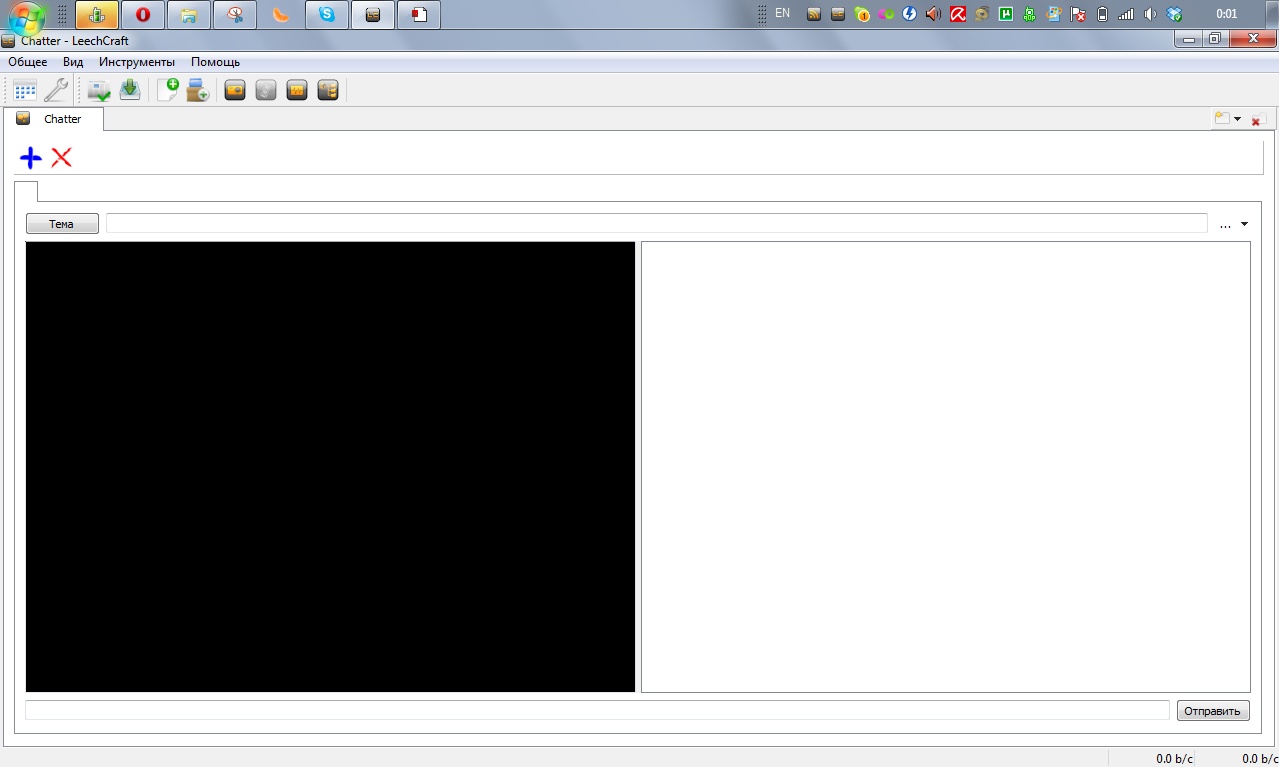
I typed irc://irc.forestnet.org into the address bar. Opera would open a chat in this case, and if I hadn’t previously entered login information, a setup wizard would open. The leechcraft also opened something — though I couldn’t tell what. I clicked the red cross and the healing came: the black and white squares went away, and clicking the blue cross brought them back.
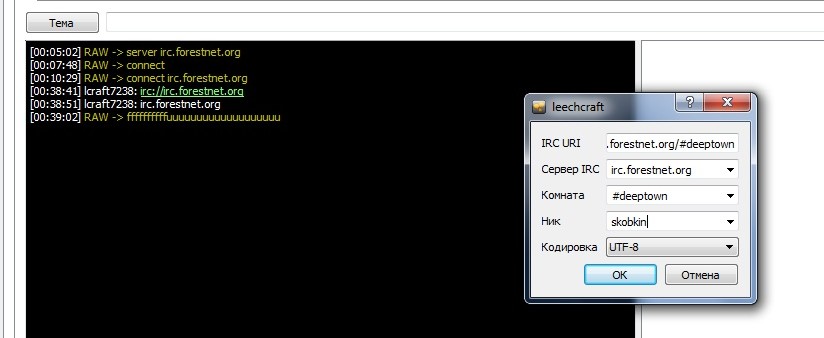
So, this is the console of an IRC client that isn’t going to connect to the server until I order it to manually? In vain. I started exploring the interface in search of some “Connect” or “New server”, and soon found a modest little arrow next to a button labeled “…” and used it to get to the connection window:
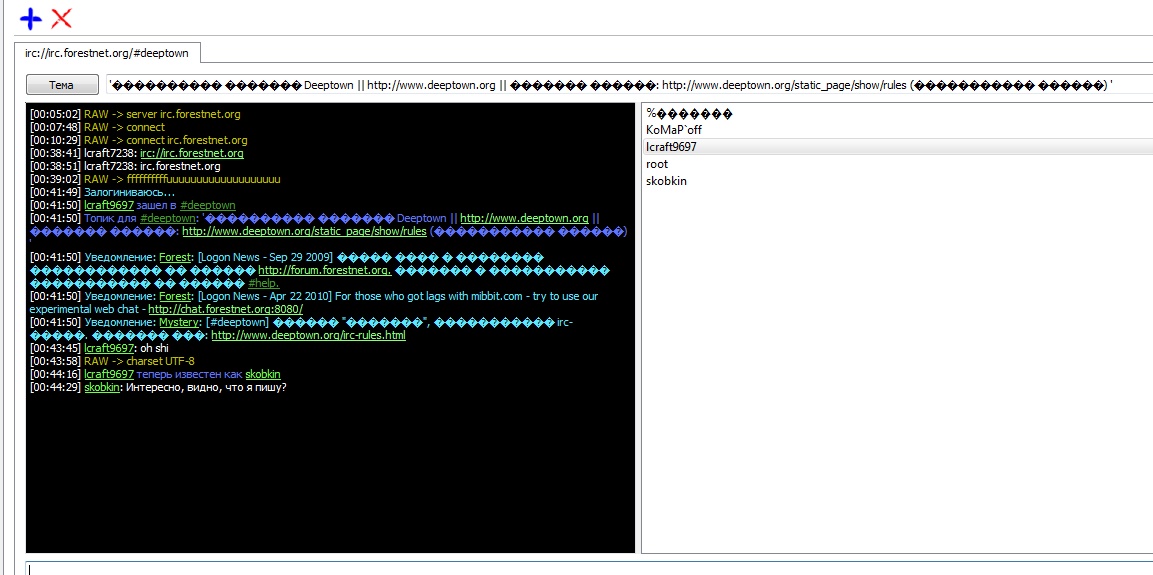
Feeling like revisiting the old days, I entered the URL of the Deeptown room. And another surprise. However, typing /charset UTF-8 set everything back to normal. Then, entering the same room from Opera with 1251 as the default encoding, I realized everything was fine and the encodings were my mistake. I should have chosen either a different server port or a different encoding. I decided to connect to one of the channels — #help. There had to be some living soul sitting there whom I could use to check how IRC works here.

Said and done. I type /join #help and see the welcome message of the #help channel. But here’s the catch: I’m still in the same #deeptown chat. Entering the #help channel from Opera, I’m there — but in the leechcraft there’s neither a tab nor the slightest hint of another channel.

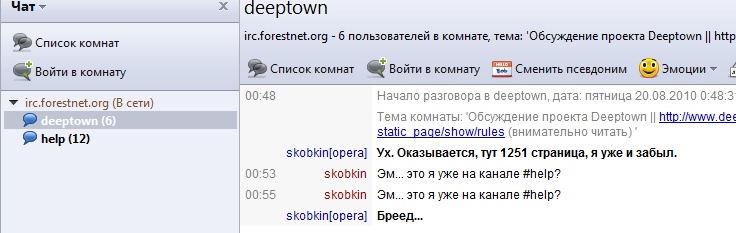
I write a message in the chat in the leechcraft after connecting to #help, and it goes to #deeptown. All in all, IRC in the leechcraft is very, very mediocre. The only thing in its defense is that IRC isn’t among the main advertised features, and Chatter itself is described as a “Simple IRC client”.
Bit-Torrent
Here I decided to take a risk and check how true “lets you download torrents even faster” really was. I went to rutracker.org and remembered the beginning of this post. The site loaded sluggishly, and text was entered into the input field in bursts until the last little object on the page had finished loading.

I typed “Linux” into the search and sorted the torrents by size. Among the very small torrents of texts and the very large torrents of disk images there was a small LMMS torrent; I selected it and hit “Download .torrent”. That’s when LeechCraft detected a binary entity.
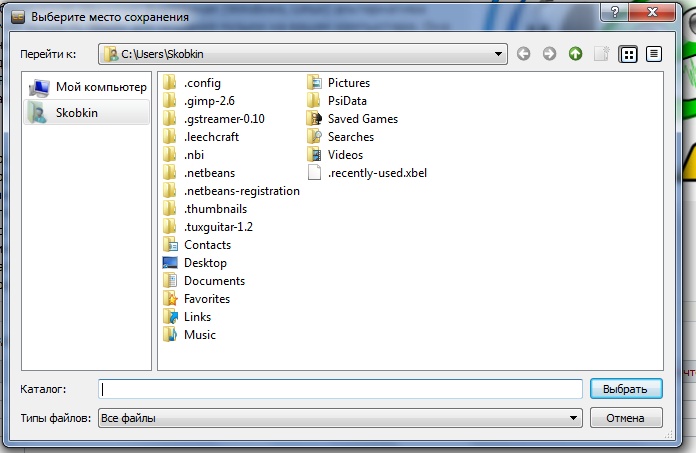
After clicking the only possible “Browse” button I got the typical Qt file selection window, which, of course, didn’t show the list of folders I had favorited in Windows Explorer. By the way, I couldn’t create a new folder there either, so I had to open Explorer and create it there. I selected that folder and was thrown back to the window with the single Browse option, while on the right a notification popped up saying something had downloaded. It was clearly not the torrent, since the torrent does weigh 26 megabytes and only one second had passed since I chose the location. However, contrary to my expectations, nothing happened after the torrent file was downloaded.
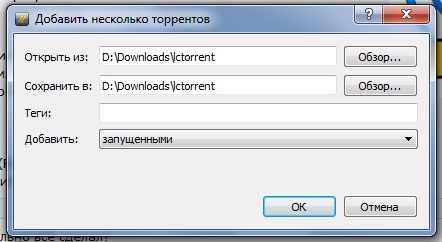
Then I found an “Open several torrents” item in the “Tools” menu and specified the folder where the torrent file had been saved and where to download the torrent’s contents.

Nothing happened this time either — except, perhaps, the graph in the status bar coming to life. Things started appearing in the folder I had specified, and after a while they were fully there. It really was LMMS. With some struggle, the torrent did get downloaded.
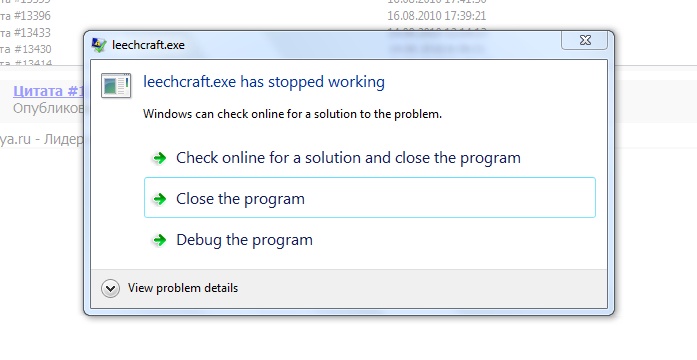
Then I started closing all the tabs by pressing CTRL+W, got to the last tab and pressed it once more: LeechCraft delighted me once again.
In conclusion
I decided I’d had enough leechcrafts for one day, and that I would either poke at it tomorrow or abandon it until one of the new versions.

It was time to publish the article to the blog, but having entered the blog through LeechCraft and tried to log in, I got yet another error. This time the page wouldn’t load. On the second attempt I did get into the blog’s dashboard and decided to compose the post about the leechcraft inside the leechcraft itself.

But, unfortunately, a surprise awaited me here too. When I entered a link incorrectly in the editor and clicked it to fix it, LeechCraft followed the link in the editor window. I was curious whether the changes I had made to the post had survived, but going back I realized that WordPress had auto-saved the post shortly before I clicked the link. As it turned out, this is a problem with Qt’s WebKit, which doesn’t always keep pace with the main development branch of this engine. I saved the post anyway and, to be on the safe side, went to finish writing it in Opera.
Thoughts
- LeechCraft is an interesting and possibly promising project that lacks a designer’s approach to usability. I have written programs myself, and still do from time to time, and I’ve run into the problem of a user failing to understand the logic of how a program works.
- The all-in-one concept is quite interesting. There is the ability to tag almost everything. I didn’t really try this option out, but it should be interesting and, possibly, convenient — naturally, provided the design changes toward better usability.
- Despite what you may have thought after reading this — the program is quite usable; you only need to understand its logic. For example, on Linux distributions it can be a good alternative to other browsers.
- The program has a similar and more powerful competitor — Opera. But in some respects the ideas and the implementation differ. For example, Opera has no tag-centric approach and no built-in media player (by default, that is; it’s achievable there too through the Unite extensions and widgets). There is also a certain group of users who don’t want to use Opera because of its closed source code or other considerations. For them, LeechCraft may turn out to be a “geeky” alternative.
- The program can be recommended to experienced users, especially those who have been “looking for their software” and could never find it.
- My review is not impartial: it is a first impression of an unfamiliar program and the problems discovered while getting acquainted with it. Besides the problems, the functionality is also partially described.
P.S. All possible plugins were selected during installation, yet of the menus available to the user I saw only the capabilities of a small part of them. Some features are hidden in the settings, but it seemed to me that certain menu entries were missing.